
 LT
 DE
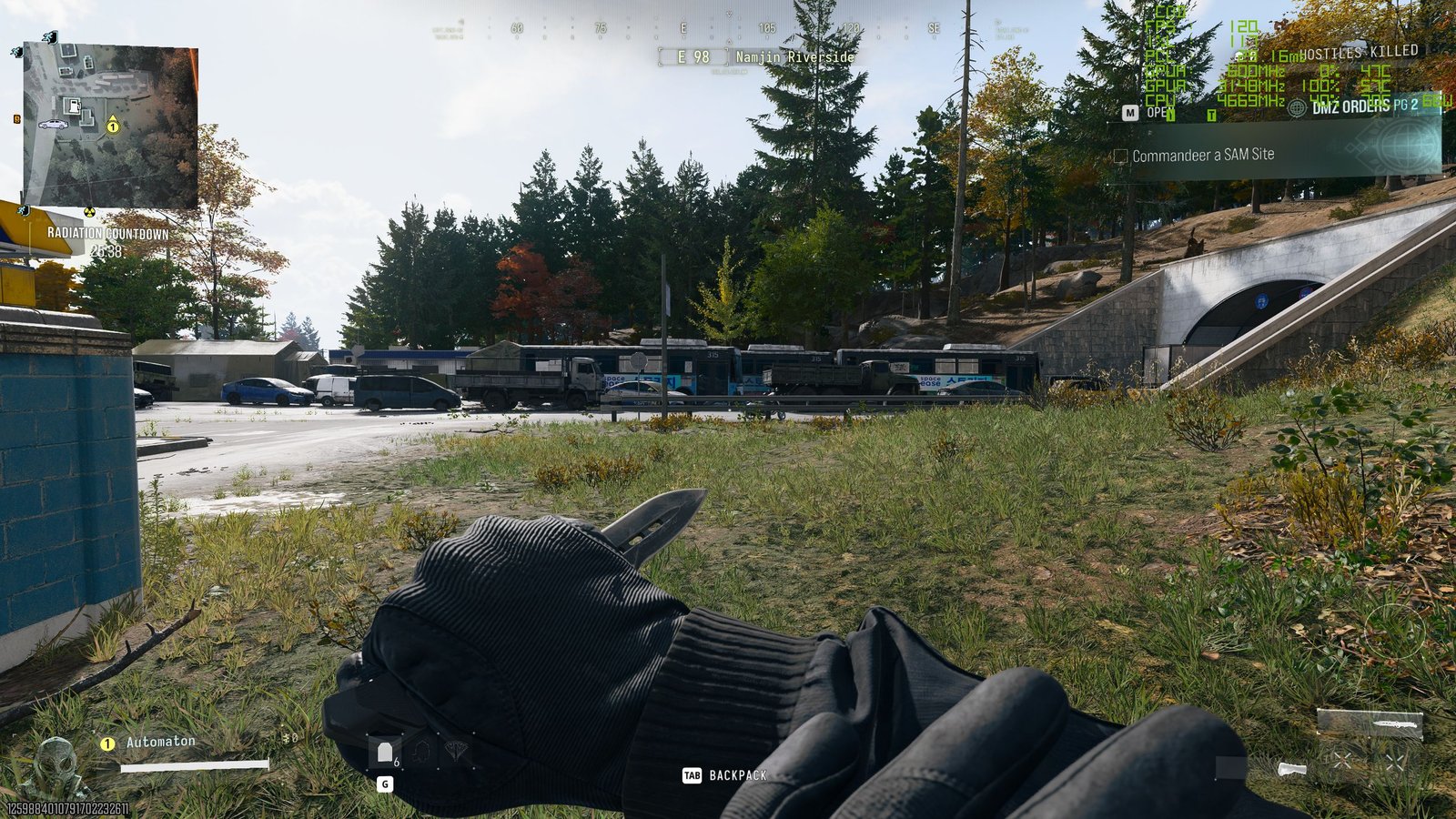
PC Gamer’s results show that the RTX 3060 Ti can achieve a similar level of performance at 1080p or at 1440p with DLSS “Quality.” However, this is not a direct reproduction of the official recommendation under identical conditions: the main measurements presented were taken from a campaign section using the “Balanced” preset, while the DMZ results were reported separately.
The source does not include equivalent measurements for the Radeon RX 6600 XT or Intel Arc B580, so this test cannot determine whether they would achieve the same FPS with identical settings. The confirmed conclusion is limited to the RTX 3060 Ti: at 1440p, the most practical combination tested is DLSS “Quality” using the CNN model and the “Balanced” preset, while 1080p delivers a higher frame rate.
How to interpret the official recommendation
Activision lists the RTX 3060 Ti among its recommended graphics cards, alongside the Radeon RX 6600 XT and Intel Arc B580. The recommendation is defined as the ability to achieve 90 FPS in multiplayer using “High” graphics settings.
PC Gamer’s results show that the RTX 3060 Ti can achieve a similar level of performance at 1080p or at 1440p with DLSS “Quality.” However, this is not a direct reproduction of the official recommendation under identical conditions: the main measurements presented were taken from a campaign section using the “Balanced” preset, while the DMZ results were reported separately.
The source does not include equivalent measurements for the Radeon RX 6600 XT or Intel Arc B580, so this test cannot determine whether they would achieve the same FPS with identical settings. The confirmed conclusion is limited to the RTX 3060 Ti: at 1440p, the most practical combination tested is DLSS “Quality” using the CNN model and the “Balanced” preset, while 1080p delivers a higher frame rate.
- On a 1440p display, first compare the “Balanced” preset with DLSS “Quality” disabled and enabled.
- If the DLSS model can be selected, compare the CNN and “Transformer” options in the same scene.
- In DMZ mode, check performance not only in enclosed areas but also while looking across long distances on the large map.
- If vegetation appears angular or lacks detail, change “Detail Quality” to “High” separately and evaluate the change in FPS.
- On a 27-inch 1440p monitor, compare image sharpness between 1080p and 1440p with DLSS “Quality” before lowering the resolution to 1080p.
How to interpret the official recommendation
Activision lists the RTX 3060 Ti among its recommended graphics cards, alongside the Radeon RX 6600 XT and Intel Arc B580. The recommendation is defined as the ability to achieve 90 FPS in multiplayer using “High” graphics settings.
PC Gamer’s results show that the RTX 3060 Ti can achieve a similar level of performance at 1080p or at 1440p with DLSS “Quality.” However, this is not a direct reproduction of the official recommendation under identical conditions: the main measurements presented were taken from a campaign section using the “Balanced” preset, while the DMZ results were reported separately.
The source does not include equivalent measurements for the Radeon RX 6600 XT or Intel Arc B580, so this test cannot determine whether they would achieve the same FPS with identical settings. The confirmed conclusion is limited to the RTX 3060 Ti: at 1440p, the most practical combination tested is DLSS “Quality” using the CNN model and the “Balanced” preset, while 1080p delivers a higher frame rate.
To make the results comparable, it is best to change one setting at a time and test each configuration in the same in-game location. Based on the testing process used by the source, a practical starting point is the “Balanced” preset at your monitor’s native resolution.
- On a 1440p display, first compare the “Balanced” preset with DLSS “Quality” disabled and enabled.
- If the DLSS model can be selected, compare the CNN and “Transformer” options in the same scene.
- In DMZ mode, check performance not only in enclosed areas but also while looking across long distances on the large map.
- If vegetation appears angular or lacks detail, change “Detail Quality” to “High” separately and evaluate the change in FPS.
- On a 27-inch 1440p monitor, compare image sharpness between 1080p and 1440p with DLSS “Quality” before lowering the resolution to 1080p.
How to interpret the official recommendation
Activision lists the RTX 3060 Ti among its recommended graphics cards, alongside the Radeon RX 6600 XT and Intel Arc B580. The recommendation is defined as the ability to achieve 90 FPS in multiplayer using “High” graphics settings.
PC Gamer’s results show that the RTX 3060 Ti can achieve a similar level of performance at 1080p or at 1440p with DLSS “Quality.” However, this is not a direct reproduction of the official recommendation under identical conditions: the main measurements presented were taken from a campaign section using the “Balanced” preset, while the DMZ results were reported separately.
The source does not include equivalent measurements for the Radeon RX 6600 XT or Intel Arc B580, so this test cannot determine whether they would achieve the same FPS with identical settings. The confirmed conclusion is limited to the RTX 3060 Ti: at 1440p, the most practical combination tested is DLSS “Quality” using the CNN model and the “Balanced” preset, while 1080p delivers a higher frame rate.
How to compare settings on your own system
To make the results comparable, it is best to change one setting at a time and test each configuration in the same in-game location. Based on the testing process used by the source, a practical starting point is the “Balanced” preset at your monitor’s native resolution.
- On a 1440p display, first compare the “Balanced” preset with DLSS “Quality” disabled and enabled.
- If the DLSS model can be selected, compare the CNN and “Transformer” options in the same scene.
- In DMZ mode, check performance not only in enclosed areas but also while looking across long distances on the large map.
- If vegetation appears angular or lacks detail, change “Detail Quality” to “High” separately and evaluate the change in FPS.
- On a 27-inch 1440p monitor, compare image sharpness between 1080p and 1440p with DLSS “Quality” before lowering the resolution to 1080p.
How to interpret the official recommendation
Activision lists the RTX 3060 Ti among its recommended graphics cards, alongside the Radeon RX 6600 XT and Intel Arc B580. The recommendation is defined as the ability to achieve 90 FPS in multiplayer using “High” graphics settings.
PC Gamer’s results show that the RTX 3060 Ti can achieve a similar level of performance at 1080p or at 1440p with DLSS “Quality.” However, this is not a direct reproduction of the official recommendation under identical conditions: the main measurements presented were taken from a campaign section using the “Balanced” preset, while the DMZ results were reported separately.
The source does not include equivalent measurements for the Radeon RX 6600 XT or Intel Arc B580, so this test cannot determine whether they would achieve the same FPS with identical settings. The confirmed conclusion is limited to the RTX 3060 Ti: at 1440p, the most practical combination tested is DLSS “Quality” using the CNN model and the “Balanced” preset, while 1080p delivers a higher frame rate.
This change costs a few frames in certain situations, although the exact FPS reduction was not provided. It is not an essential part of the main settings combination, but it may be worth trying if poor-looking vegetation is more distracting than a small drop in performance.
How to compare settings on your own system
To make the results comparable, it is best to change one setting at a time and test each configuration in the same in-game location. Based on the testing process used by the source, a practical starting point is the “Balanced” preset at your monitor’s native resolution.
- On a 1440p display, first compare the “Balanced” preset with DLSS “Quality” disabled and enabled.
- If the DLSS model can be selected, compare the CNN and “Transformer” options in the same scene.
- In DMZ mode, check performance not only in enclosed areas but also while looking across long distances on the large map.
- If vegetation appears angular or lacks detail, change “Detail Quality” to “High” separately and evaluate the change in FPS.
- On a 27-inch 1440p monitor, compare image sharpness between 1080p and 1440p with DLSS “Quality” before lowering the resolution to 1080p.
How to interpret the official recommendation
Activision lists the RTX 3060 Ti among its recommended graphics cards, alongside the Radeon RX 6600 XT and Intel Arc B580. The recommendation is defined as the ability to achieve 90 FPS in multiplayer using “High” graphics settings.
PC Gamer’s results show that the RTX 3060 Ti can achieve a similar level of performance at 1080p or at 1440p with DLSS “Quality.” However, this is not a direct reproduction of the official recommendation under identical conditions: the main measurements presented were taken from a campaign section using the “Balanced” preset, while the DMZ results were reported separately.
The source does not include equivalent measurements for the Radeon RX 6600 XT or Intel Arc B580, so this test cannot determine whether they would achieve the same FPS with identical settings. The confirmed conclusion is limited to the RTX 3060 Ti: at 1440p, the most practical combination tested is DLSS “Quality” using the CNN model and the “Balanced” preset, while 1080p delivers a higher frame rate.
The “Balanced” preset can be adjusted further by increasing the “Detail Quality” setting to “High.” According to the source’s author, this reduced instances where trees and bushes appeared angular and lacked detail. When compared with “Normal” detail quality, the difference was most apparent in the level of detail shown by vegetation.
This change costs a few frames in certain situations, although the exact FPS reduction was not provided. It is not an essential part of the main settings combination, but it may be worth trying if poor-looking vegetation is more distracting than a small drop in performance.
How to compare settings on your own system
To make the results comparable, it is best to change one setting at a time and test each configuration in the same in-game location. Based on the testing process used by the source, a practical starting point is the “Balanced” preset at your monitor’s native resolution.
- On a 1440p display, first compare the “Balanced” preset with DLSS “Quality” disabled and enabled.
- If the DLSS model can be selected, compare the CNN and “Transformer” options in the same scene.
- In DMZ mode, check performance not only in enclosed areas but also while looking across long distances on the large map.
- If vegetation appears angular or lacks detail, change “Detail Quality” to “High” separately and evaluate the change in FPS.
- On a 27-inch 1440p monitor, compare image sharpness between 1080p and 1440p with DLSS “Quality” before lowering the resolution to 1080p.
How to interpret the official recommendation
Activision lists the RTX 3060 Ti among its recommended graphics cards, alongside the Radeon RX 6600 XT and Intel Arc B580. The recommendation is defined as the ability to achieve 90 FPS in multiplayer using “High” graphics settings.
PC Gamer’s results show that the RTX 3060 Ti can achieve a similar level of performance at 1080p or at 1440p with DLSS “Quality.” However, this is not a direct reproduction of the official recommendation under identical conditions: the main measurements presented were taken from a campaign section using the “Balanced” preset, while the DMZ results were reported separately.
The source does not include equivalent measurements for the Radeon RX 6600 XT or Intel Arc B580, so this test cannot determine whether they would achieve the same FPS with identical settings. The confirmed conclusion is limited to the RTX 3060 Ti: at 1440p, the most practical combination tested is DLSS “Quality” using the CNN model and the “Balanced” preset, while 1080p delivers a higher frame rate.
Increasing the “Detail Quality” setting
The “Balanced” preset can be adjusted further by increasing the “Detail Quality” setting to “High.” According to the source’s author, this reduced instances where trees and bushes appeared angular and lacked detail. When compared with “Normal” detail quality, the difference was most apparent in the level of detail shown by vegetation.
This change costs a few frames in certain situations, although the exact FPS reduction was not provided. It is not an essential part of the main settings combination, but it may be worth trying if poor-looking vegetation is more distracting than a small drop in performance.
How to compare settings on your own system
To make the results comparable, it is best to change one setting at a time and test each configuration in the same in-game location. Based on the testing process used by the source, a practical starting point is the “Balanced” preset at your monitor’s native resolution.
- On a 1440p display, first compare the “Balanced” preset with DLSS “Quality” disabled and enabled.
- If the DLSS model can be selected, compare the CNN and “Transformer” options in the same scene.
- In DMZ mode, check performance not only in enclosed areas but also while looking across long distances on the large map.
- If vegetation appears angular or lacks detail, change “Detail Quality” to “High” separately and evaluate the change in FPS.
- On a 27-inch 1440p monitor, compare image sharpness between 1080p and 1440p with DLSS “Quality” before lowering the resolution to 1080p.
How to interpret the official recommendation
Activision lists the RTX 3060 Ti among its recommended graphics cards, alongside the Radeon RX 6600 XT and Intel Arc B580. The recommendation is defined as the ability to achieve 90 FPS in multiplayer using “High” graphics settings.
PC Gamer’s results show that the RTX 3060 Ti can achieve a similar level of performance at 1080p or at 1440p with DLSS “Quality.” However, this is not a direct reproduction of the official recommendation under identical conditions: the main measurements presented were taken from a campaign section using the “Balanced” preset, while the DMZ results were reported separately.
The source does not include equivalent measurements for the Radeon RX 6600 XT or Intel Arc B580, so this test cannot determine whether they would achieve the same FPS with identical settings. The confirmed conclusion is limited to the RTX 3060 Ti: at 1440p, the most practical combination tested is DLSS “Quality” using the CNN model and the “Balanced” preset, while 1080p delivers a higher frame rate.
At the lowest preset, the image loses sharpness and detail, so choosing it is not as beneficial as the settings names alone might suggest. “Balanced” retains a clearer image, while DLSS “Quality” provides the more meaningful performance improvement at 1440p.
Increasing the “Detail Quality” setting
The “Balanced” preset can be adjusted further by increasing the “Detail Quality” setting to “High.” According to the source’s author, this reduced instances where trees and bushes appeared angular and lacked detail. When compared with “Normal” detail quality, the difference was most apparent in the level of detail shown by vegetation.
This change costs a few frames in certain situations, although the exact FPS reduction was not provided. It is not an essential part of the main settings combination, but it may be worth trying if poor-looking vegetation is more distracting than a small drop in performance.
How to compare settings on your own system
To make the results comparable, it is best to change one setting at a time and test each configuration in the same in-game location. Based on the testing process used by the source, a practical starting point is the “Balanced” preset at your monitor’s native resolution.
- On a 1440p display, first compare the “Balanced” preset with DLSS “Quality” disabled and enabled.
- If the DLSS model can be selected, compare the CNN and “Transformer” options in the same scene.
- In DMZ mode, check performance not only in enclosed areas but also while looking across long distances on the large map.
- If vegetation appears angular or lacks detail, change “Detail Quality” to “High” separately and evaluate the change in FPS.
- On a 27-inch 1440p monitor, compare image sharpness between 1080p and 1440p with DLSS “Quality” before lowering the resolution to 1080p.
How to interpret the official recommendation
Activision lists the RTX 3060 Ti among its recommended graphics cards, alongside the Radeon RX 6600 XT and Intel Arc B580. The recommendation is defined as the ability to achieve 90 FPS in multiplayer using “High” graphics settings.
PC Gamer’s results show that the RTX 3060 Ti can achieve a similar level of performance at 1080p or at 1440p with DLSS “Quality.” However, this is not a direct reproduction of the official recommendation under identical conditions: the main measurements presented were taken from a campaign section using the “Balanced” preset, while the DMZ results were reported separately.
The source does not include equivalent measurements for the Radeon RX 6600 XT or Intel Arc B580, so this test cannot determine whether they would achieve the same FPS with identical settings. The confirmed conclusion is limited to the RTX 3060 Ti: at 1440p, the most practical combination tested is DLSS “Quality” using the CNN model and the “Balanced” preset, while 1080p delivers a higher frame rate.
The “Balanced” preset was identified in the test as the best compromise between performance and image quality. Switching to “Ultra” significantly reduces the frame rate, while “Minimum” severely degrades visual quality. In addition, at 1440p without DLSS, reaching the 90 FPS target is difficult even with the “Minimum” preset.
At the lowest preset, the image loses sharpness and detail, so choosing it is not as beneficial as the settings names alone might suggest. “Balanced” retains a clearer image, while DLSS “Quality” provides the more meaningful performance improvement at 1440p.
Increasing the “Detail Quality” setting
The “Balanced” preset can be adjusted further by increasing the “Detail Quality” setting to “High.” According to the source’s author, this reduced instances where trees and bushes appeared angular and lacked detail. When compared with “Normal” detail quality, the difference was most apparent in the level of detail shown by vegetation.
This change costs a few frames in certain situations, although the exact FPS reduction was not provided. It is not an essential part of the main settings combination, but it may be worth trying if poor-looking vegetation is more distracting than a small drop in performance.
How to compare settings on your own system
To make the results comparable, it is best to change one setting at a time and test each configuration in the same in-game location. Based on the testing process used by the source, a practical starting point is the “Balanced” preset at your monitor’s native resolution.
- On a 1440p display, first compare the “Balanced” preset with DLSS “Quality” disabled and enabled.
- If the DLSS model can be selected, compare the CNN and “Transformer” options in the same scene.
- In DMZ mode, check performance not only in enclosed areas but also while looking across long distances on the large map.
- If vegetation appears angular or lacks detail, change “Detail Quality” to “High” separately and evaluate the change in FPS.
- On a 27-inch 1440p monitor, compare image sharpness between 1080p and 1440p with DLSS “Quality” before lowering the resolution to 1080p.
How to interpret the official recommendation
Activision lists the RTX 3060 Ti among its recommended graphics cards, alongside the Radeon RX 6600 XT and Intel Arc B580. The recommendation is defined as the ability to achieve 90 FPS in multiplayer using “High” graphics settings.
PC Gamer’s results show that the RTX 3060 Ti can achieve a similar level of performance at 1080p or at 1440p with DLSS “Quality.” However, this is not a direct reproduction of the official recommendation under identical conditions: the main measurements presented were taken from a campaign section using the “Balanced” preset, while the DMZ results were reported separately.
The source does not include equivalent measurements for the Radeon RX 6600 XT or Intel Arc B580, so this test cannot determine whether they would achieve the same FPS with identical settings. The confirmed conclusion is limited to the RTX 3060 Ti: at 1440p, the most practical combination tested is DLSS “Quality” using the CNN model and the “Balanced” preset, while 1080p delivers a higher frame rate.
Why you should not immediately choose “Minimum” or “Ultra”
The “Balanced” preset was identified in the test as the best compromise between performance and image quality. Switching to “Ultra” significantly reduces the frame rate, while “Minimum” severely degrades visual quality. In addition, at 1440p without DLSS, reaching the 90 FPS target is difficult even with the “Minimum” preset.
At the lowest preset, the image loses sharpness and detail, so choosing it is not as beneficial as the settings names alone might suggest. “Balanced” retains a clearer image, while DLSS “Quality” provides the more meaningful performance improvement at 1440p.
Increasing the “Detail Quality” setting
The “Balanced” preset can be adjusted further by increasing the “Detail Quality” setting to “High.” According to the source’s author, this reduced instances where trees and bushes appeared angular and lacked detail. When compared with “Normal” detail quality, the difference was most apparent in the level of detail shown by vegetation.
This change costs a few frames in certain situations, although the exact FPS reduction was not provided. It is not an essential part of the main settings combination, but it may be worth trying if poor-looking vegetation is more distracting than a small drop in performance.
How to compare settings on your own system
To make the results comparable, it is best to change one setting at a time and test each configuration in the same in-game location. Based on the testing process used by the source, a practical starting point is the “Balanced” preset at your monitor’s native resolution.
- On a 1440p display, first compare the “Balanced” preset with DLSS “Quality” disabled and enabled.
- If the DLSS model can be selected, compare the CNN and “Transformer” options in the same scene.
- In DMZ mode, check performance not only in enclosed areas but also while looking across long distances on the large map.
- If vegetation appears angular or lacks detail, change “Detail Quality” to “High” separately and evaluate the change in FPS.
- On a 27-inch 1440p monitor, compare image sharpness between 1080p and 1440p with DLSS “Quality” before lowering the resolution to 1080p.
How to interpret the official recommendation
Activision lists the RTX 3060 Ti among its recommended graphics cards, alongside the Radeon RX 6600 XT and Intel Arc B580. The recommendation is defined as the ability to achieve 90 FPS in multiplayer using “High” graphics settings.
PC Gamer’s results show that the RTX 3060 Ti can achieve a similar level of performance at 1080p or at 1440p with DLSS “Quality.” However, this is not a direct reproduction of the official recommendation under identical conditions: the main measurements presented were taken from a campaign section using the “Balanced” preset, while the DMZ results were reported separately.
The source does not include equivalent measurements for the Radeon RX 6600 XT or Intel Arc B580, so this test cannot determine whether they would achieve the same FPS with identical settings. The confirmed conclusion is limited to the RTX 3060 Ti: at 1440p, the most practical combination tested is DLSS “Quality” using the CNN model and the “Balanced” preset, while 1080p delivers a higher frame rate.
These results do not mean that 1080p is always the better choice. Performance increases, but the final image depends on the display. It is a suitable combination on a 24-inch 1080p monitor, while on a 27-inch 1440p display, lowering the resolution may reduce image sharpness more than the additional frames justify.
Why you should not immediately choose “Minimum” or “Ultra”
The “Balanced” preset was identified in the test as the best compromise between performance and image quality. Switching to “Ultra” significantly reduces the frame rate, while “Minimum” severely degrades visual quality. In addition, at 1440p without DLSS, reaching the 90 FPS target is difficult even with the “Minimum” preset.
At the lowest preset, the image loses sharpness and detail, so choosing it is not as beneficial as the settings names alone might suggest. “Balanced” retains a clearer image, while DLSS “Quality” provides the more meaningful performance improvement at 1440p.
Increasing the “Detail Quality” setting
The “Balanced” preset can be adjusted further by increasing the “Detail Quality” setting to “High.” According to the source’s author, this reduced instances where trees and bushes appeared angular and lacked detail. When compared with “Normal” detail quality, the difference was most apparent in the level of detail shown by vegetation.
This change costs a few frames in certain situations, although the exact FPS reduction was not provided. It is not an essential part of the main settings combination, but it may be worth trying if poor-looking vegetation is more distracting than a small drop in performance.
How to compare settings on your own system
To make the results comparable, it is best to change one setting at a time and test each configuration in the same in-game location. Based on the testing process used by the source, a practical starting point is the “Balanced” preset at your monitor’s native resolution.
- On a 1440p display, first compare the “Balanced” preset with DLSS “Quality” disabled and enabled.
- If the DLSS model can be selected, compare the CNN and “Transformer” options in the same scene.
- In DMZ mode, check performance not only in enclosed areas but also while looking across long distances on the large map.
- If vegetation appears angular or lacks detail, change “Detail Quality” to “High” separately and evaluate the change in FPS.
- On a 27-inch 1440p monitor, compare image sharpness between 1080p and 1440p with DLSS “Quality” before lowering the resolution to 1080p.
How to interpret the official recommendation
Activision lists the RTX 3060 Ti among its recommended graphics cards, alongside the Radeon RX 6600 XT and Intel Arc B580. The recommendation is defined as the ability to achieve 90 FPS in multiplayer using “High” graphics settings.
PC Gamer’s results show that the RTX 3060 Ti can achieve a similar level of performance at 1080p or at 1440p with DLSS “Quality.” However, this is not a direct reproduction of the official recommendation under identical conditions: the main measurements presented were taken from a campaign section using the “Balanced” preset, while the DMZ results were reported separately.
The source does not include equivalent measurements for the Radeon RX 6600 XT or Intel Arc B580, so this test cannot determine whether they would achieve the same FPS with identical settings. The confirmed conclusion is limited to the RTX 3060 Ti: at 1440p, the most practical combination tested is DLSS “Quality” using the CNN model and the “Balanced” preset, while 1080p delivers a higher frame rate.
At 1080p, the RTX 3060 Ti achieved a higher frame rate. In the campaign test with the “Balanced” preset and DLSS enabled, an average of around 130 FPS was recorded. In DMZ mode at 1080p with DLSS, the author achieved approximately 110 FPS.
These results do not mean that 1080p is always the better choice. Performance increases, but the final image depends on the display. It is a suitable combination on a 24-inch 1080p monitor, while on a 27-inch 1440p display, lowering the resolution may reduce image sharpness more than the additional frames justify.
Why you should not immediately choose “Minimum” or “Ultra”
The “Balanced” preset was identified in the test as the best compromise between performance and image quality. Switching to “Ultra” significantly reduces the frame rate, while “Minimum” severely degrades visual quality. In addition, at 1440p without DLSS, reaching the 90 FPS target is difficult even with the “Minimum” preset.
At the lowest preset, the image loses sharpness and detail, so choosing it is not as beneficial as the settings names alone might suggest. “Balanced” retains a clearer image, while DLSS “Quality” provides the more meaningful performance improvement at 1440p.
Increasing the “Detail Quality” setting
The “Balanced” preset can be adjusted further by increasing the “Detail Quality” setting to “High.” According to the source’s author, this reduced instances where trees and bushes appeared angular and lacked detail. When compared with “Normal” detail quality, the difference was most apparent in the level of detail shown by vegetation.
This change costs a few frames in certain situations, although the exact FPS reduction was not provided. It is not an essential part of the main settings combination, but it may be worth trying if poor-looking vegetation is more distracting than a small drop in performance.
How to compare settings on your own system
To make the results comparable, it is best to change one setting at a time and test each configuration in the same in-game location. Based on the testing process used by the source, a practical starting point is the “Balanced” preset at your monitor’s native resolution.
- On a 1440p display, first compare the “Balanced” preset with DLSS “Quality” disabled and enabled.
- If the DLSS model can be selected, compare the CNN and “Transformer” options in the same scene.
- In DMZ mode, check performance not only in enclosed areas but also while looking across long distances on the large map.
- If vegetation appears angular or lacks detail, change “Detail Quality” to “High” separately and evaluate the change in FPS.
- On a 27-inch 1440p monitor, compare image sharpness between 1080p and 1440p with DLSS “Quality” before lowering the resolution to 1080p.
How to interpret the official recommendation
Activision lists the RTX 3060 Ti among its recommended graphics cards, alongside the Radeon RX 6600 XT and Intel Arc B580. The recommendation is defined as the ability to achieve 90 FPS in multiplayer using “High” graphics settings.
PC Gamer’s results show that the RTX 3060 Ti can achieve a similar level of performance at 1080p or at 1440p with DLSS “Quality.” However, this is not a direct reproduction of the official recommendation under identical conditions: the main measurements presented were taken from a campaign section using the “Balanced” preset, while the DMZ results were reported separately.
The source does not include equivalent measurements for the Radeon RX 6600 XT or Intel Arc B580, so this test cannot determine whether they would achieve the same FPS with identical settings. The confirmed conclusion is limited to the RTX 3060 Ti: at 1440p, the most practical combination tested is DLSS “Quality” using the CNN model and the “Balanced” preset, while 1080p delivers a higher frame rate.
What switching to 1080p delivers
At 1080p, the RTX 3060 Ti achieved a higher frame rate. In the campaign test with the “Balanced” preset and DLSS enabled, an average of around 130 FPS was recorded. In DMZ mode at 1080p with DLSS, the author achieved approximately 110 FPS.
These results do not mean that 1080p is always the better choice. Performance increases, but the final image depends on the display. It is a suitable combination on a 24-inch 1080p monitor, while on a 27-inch 1440p display, lowering the resolution may reduce image sharpness more than the additional frames justify.
Why you should not immediately choose “Minimum” or “Ultra”
The “Balanced” preset was identified in the test as the best compromise between performance and image quality. Switching to “Ultra” significantly reduces the frame rate, while “Minimum” severely degrades visual quality. In addition, at 1440p without DLSS, reaching the 90 FPS target is difficult even with the “Minimum” preset.
At the lowest preset, the image loses sharpness and detail, so choosing it is not as beneficial as the settings names alone might suggest. “Balanced” retains a clearer image, while DLSS “Quality” provides the more meaningful performance improvement at 1440p.
Increasing the “Detail Quality” setting
The “Balanced” preset can be adjusted further by increasing the “Detail Quality” setting to “High.” According to the source’s author, this reduced instances where trees and bushes appeared angular and lacked detail. When compared with “Normal” detail quality, the difference was most apparent in the level of detail shown by vegetation.
This change costs a few frames in certain situations, although the exact FPS reduction was not provided. It is not an essential part of the main settings combination, but it may be worth trying if poor-looking vegetation is more distracting than a small drop in performance.
How to compare settings on your own system
To make the results comparable, it is best to change one setting at a time and test each configuration in the same in-game location. Based on the testing process used by the source, a practical starting point is the “Balanced” preset at your monitor’s native resolution.
- On a 1440p display, first compare the “Balanced” preset with DLSS “Quality” disabled and enabled.
- If the DLSS model can be selected, compare the CNN and “Transformer” options in the same scene.
- In DMZ mode, check performance not only in enclosed areas but also while looking across long distances on the large map.
- If vegetation appears angular or lacks detail, change “Detail Quality” to “High” separately and evaluate the change in FPS.
- On a 27-inch 1440p monitor, compare image sharpness between 1080p and 1440p with DLSS “Quality” before lowering the resolution to 1080p.
How to interpret the official recommendation
Activision lists the RTX 3060 Ti among its recommended graphics cards, alongside the Radeon RX 6600 XT and Intel Arc B580. The recommendation is defined as the ability to achieve 90 FPS in multiplayer using “High” graphics settings.
PC Gamer’s results show that the RTX 3060 Ti can achieve a similar level of performance at 1080p or at 1440p with DLSS “Quality.” However, this is not a direct reproduction of the official recommendation under identical conditions: the main measurements presented were taken from a campaign section using the “Balanced” preset, while the DMZ results were reported separately.
The source does not include equivalent measurements for the Radeon RX 6600 XT or Intel Arc B580, so this test cannot determine whether they would achieve the same FPS with identical settings. The confirmed conclusion is limited to the RTX 3060 Ti: at 1440p, the most practical combination tested is DLSS “Quality” using the CNN model and the “Balanced” preset, while 1080p delivers a higher frame rate.
At 1440p with DLSS “Quality” and the “Balanced” preset, the frame rate remained fairly consistent and was more often closer to 100 than to 60 FPS. In DMZ mode with the same combination, the author reports approximately 80–95 FPS. The lower DMZ result is consistent with the observation that the large map and long-distance views are more demanding than the selected campaign section.
What switching to 1080p delivers
At 1080p, the RTX 3060 Ti achieved a higher frame rate. In the campaign test with the “Balanced” preset and DLSS enabled, an average of around 130 FPS was recorded. In DMZ mode at 1080p with DLSS, the author achieved approximately 110 FPS.
These results do not mean that 1080p is always the better choice. Performance increases, but the final image depends on the display. It is a suitable combination on a 24-inch 1080p monitor, while on a 27-inch 1440p display, lowering the resolution may reduce image sharpness more than the additional frames justify.
Why you should not immediately choose “Minimum” or “Ultra”
The “Balanced” preset was identified in the test as the best compromise between performance and image quality. Switching to “Ultra” significantly reduces the frame rate, while “Minimum” severely degrades visual quality. In addition, at 1440p without DLSS, reaching the 90 FPS target is difficult even with the “Minimum” preset.
At the lowest preset, the image loses sharpness and detail, so choosing it is not as beneficial as the settings names alone might suggest. “Balanced” retains a clearer image, while DLSS “Quality” provides the more meaningful performance improvement at 1440p.
Increasing the “Detail Quality” setting
The “Balanced” preset can be adjusted further by increasing the “Detail Quality” setting to “High.” According to the source’s author, this reduced instances where trees and bushes appeared angular and lacked detail. When compared with “Normal” detail quality, the difference was most apparent in the level of detail shown by vegetation.
This change costs a few frames in certain situations, although the exact FPS reduction was not provided. It is not an essential part of the main settings combination, but it may be worth trying if poor-looking vegetation is more distracting than a small drop in performance.
How to compare settings on your own system
To make the results comparable, it is best to change one setting at a time and test each configuration in the same in-game location. Based on the testing process used by the source, a practical starting point is the “Balanced” preset at your monitor’s native resolution.
- On a 1440p display, first compare the “Balanced” preset with DLSS “Quality” disabled and enabled.
- If the DLSS model can be selected, compare the CNN and “Transformer” options in the same scene.
- In DMZ mode, check performance not only in enclosed areas but also while looking across long distances on the large map.
- If vegetation appears angular or lacks detail, change “Detail Quality” to “High” separately and evaluate the change in FPS.
- On a 27-inch 1440p monitor, compare image sharpness between 1080p and 1440p with DLSS “Quality” before lowering the resolution to 1080p.
How to interpret the official recommendation
Activision lists the RTX 3060 Ti among its recommended graphics cards, alongside the Radeon RX 6600 XT and Intel Arc B580. The recommendation is defined as the ability to achieve 90 FPS in multiplayer using “High” graphics settings.
PC Gamer’s results show that the RTX 3060 Ti can achieve a similar level of performance at 1080p or at 1440p with DLSS “Quality.” However, this is not a direct reproduction of the official recommendation under identical conditions: the main measurements presented were taken from a campaign section using the “Balanced” preset, while the DMZ results were reported separately.
The source does not include equivalent measurements for the Radeon RX 6600 XT or Intel Arc B580, so this test cannot determine whether they would achieve the same FPS with identical settings. The confirmed conclusion is limited to the RTX 3060 Ti: at 1440p, the most practical combination tested is DLSS “Quality” using the CNN model and the “Balanced” preset, while 1080p delivers a higher frame rate.
Players can choose between the CNN and “Transformer” DLSS models. The test’s author did not notice a significant difference in image quality between them, but CNN delivered a few additional frames. For that reason, the author would choose CNN, although both models are described as suitable for playing the game.
At 1440p with DLSS “Quality” and the “Balanced” preset, the frame rate remained fairly consistent and was more often closer to 100 than to 60 FPS. In DMZ mode with the same combination, the author reports approximately 80–95 FPS. The lower DMZ result is consistent with the observation that the large map and long-distance views are more demanding than the selected campaign section.
What switching to 1080p delivers
At 1080p, the RTX 3060 Ti achieved a higher frame rate. In the campaign test with the “Balanced” preset and DLSS enabled, an average of around 130 FPS was recorded. In DMZ mode at 1080p with DLSS, the author achieved approximately 110 FPS.
These results do not mean that 1080p is always the better choice. Performance increases, but the final image depends on the display. It is a suitable combination on a 24-inch 1080p monitor, while on a 27-inch 1440p display, lowering the resolution may reduce image sharpness more than the additional frames justify.
Why you should not immediately choose “Minimum” or “Ultra”
The “Balanced” preset was identified in the test as the best compromise between performance and image quality. Switching to “Ultra” significantly reduces the frame rate, while “Minimum” severely degrades visual quality. In addition, at 1440p without DLSS, reaching the 90 FPS target is difficult even with the “Minimum” preset.
At the lowest preset, the image loses sharpness and detail, so choosing it is not as beneficial as the settings names alone might suggest. “Balanced” retains a clearer image, while DLSS “Quality” provides the more meaningful performance improvement at 1440p.
Increasing the “Detail Quality” setting
The “Balanced” preset can be adjusted further by increasing the “Detail Quality” setting to “High.” According to the source’s author, this reduced instances where trees and bushes appeared angular and lacked detail. When compared with “Normal” detail quality, the difference was most apparent in the level of detail shown by vegetation.
This change costs a few frames in certain situations, although the exact FPS reduction was not provided. It is not an essential part of the main settings combination, but it may be worth trying if poor-looking vegetation is more distracting than a small drop in performance.
How to compare settings on your own system
To make the results comparable, it is best to change one setting at a time and test each configuration in the same in-game location. Based on the testing process used by the source, a practical starting point is the “Balanced” preset at your monitor’s native resolution.
- On a 1440p display, first compare the “Balanced” preset with DLSS “Quality” disabled and enabled.
- If the DLSS model can be selected, compare the CNN and “Transformer” options in the same scene.
- In DMZ mode, check performance not only in enclosed areas but also while looking across long distances on the large map.
- If vegetation appears angular or lacks detail, change “Detail Quality” to “High” separately and evaluate the change in FPS.
- On a 27-inch 1440p monitor, compare image sharpness between 1080p and 1440p with DLSS “Quality” before lowering the resolution to 1080p.
How to interpret the official recommendation
Activision lists the RTX 3060 Ti among its recommended graphics cards, alongside the Radeon RX 6600 XT and Intel Arc B580. The recommendation is defined as the ability to achieve 90 FPS in multiplayer using “High” graphics settings.
PC Gamer’s results show that the RTX 3060 Ti can achieve a similar level of performance at 1080p or at 1440p with DLSS “Quality.” However, this is not a direct reproduction of the official recommendation under identical conditions: the main measurements presented were taken from a campaign section using the “Balanced” preset, while the DMZ results were reported separately.
The source does not include equivalent measurements for the Radeon RX 6600 XT or Intel Arc B580, so this test cannot determine whether they would achieve the same FPS with identical settings. The confirmed conclusion is limited to the RTX 3060 Ti: at 1440p, the most practical combination tested is DLSS “Quality” using the CNN model and the “Balanced” preset, while 1080p delivers a higher frame rate.
With the “Balanced” preset, enabling DLSS “Quality” increased performance from just over 60 FPS to around 90 or even 100 FPS when using the older CNN model. According to this test, DLSS is what allows the RTX 3060 Ti to approach the 90 FPS target without giving up 1440p resolution.
Players can choose between the CNN and “Transformer” DLSS models. The test’s author did not notice a significant difference in image quality between them, but CNN delivered a few additional frames. For that reason, the author would choose CNN, although both models are described as suitable for playing the game.
At 1440p with DLSS “Quality” and the “Balanced” preset, the frame rate remained fairly consistent and was more often closer to 100 than to 60 FPS. In DMZ mode with the same combination, the author reports approximately 80–95 FPS. The lower DMZ result is consistent with the observation that the large map and long-distance views are more demanding than the selected campaign section.
What switching to 1080p delivers
At 1080p, the RTX 3060 Ti achieved a higher frame rate. In the campaign test with the “Balanced” preset and DLSS enabled, an average of around 130 FPS was recorded. In DMZ mode at 1080p with DLSS, the author achieved approximately 110 FPS.
These results do not mean that 1080p is always the better choice. Performance increases, but the final image depends on the display. It is a suitable combination on a 24-inch 1080p monitor, while on a 27-inch 1440p display, lowering the resolution may reduce image sharpness more than the additional frames justify.
Why you should not immediately choose “Minimum” or “Ultra”
The “Balanced” preset was identified in the test as the best compromise between performance and image quality. Switching to “Ultra” significantly reduces the frame rate, while “Minimum” severely degrades visual quality. In addition, at 1440p without DLSS, reaching the 90 FPS target is difficult even with the “Minimum” preset.
At the lowest preset, the image loses sharpness and detail, so choosing it is not as beneficial as the settings names alone might suggest. “Balanced” retains a clearer image, while DLSS “Quality” provides the more meaningful performance improvement at 1440p.
Increasing the “Detail Quality” setting
The “Balanced” preset can be adjusted further by increasing the “Detail Quality” setting to “High.” According to the source’s author, this reduced instances where trees and bushes appeared angular and lacked detail. When compared with “Normal” detail quality, the difference was most apparent in the level of detail shown by vegetation.
This change costs a few frames in certain situations, although the exact FPS reduction was not provided. It is not an essential part of the main settings combination, but it may be worth trying if poor-looking vegetation is more distracting than a small drop in performance.
How to compare settings on your own system
To make the results comparable, it is best to change one setting at a time and test each configuration in the same in-game location. Based on the testing process used by the source, a practical starting point is the “Balanced” preset at your monitor’s native resolution.
- On a 1440p display, first compare the “Balanced” preset with DLSS “Quality” disabled and enabled.
- If the DLSS model can be selected, compare the CNN and “Transformer” options in the same scene.
- In DMZ mode, check performance not only in enclosed areas but also while looking across long distances on the large map.
- If vegetation appears angular or lacks detail, change “Detail Quality” to “High” separately and evaluate the change in FPS.
- On a 27-inch 1440p monitor, compare image sharpness between 1080p and 1440p with DLSS “Quality” before lowering the resolution to 1080p.
How to interpret the official recommendation
Activision lists the RTX 3060 Ti among its recommended graphics cards, alongside the Radeon RX 6600 XT and Intel Arc B580. The recommendation is defined as the ability to achieve 90 FPS in multiplayer using “High” graphics settings.
PC Gamer’s results show that the RTX 3060 Ti can achieve a similar level of performance at 1080p or at 1440p with DLSS “Quality.” However, this is not a direct reproduction of the official recommendation under identical conditions: the main measurements presented were taken from a campaign section using the “Balanced” preset, while the DMZ results were reported separately.
The source does not include equivalent measurements for the Radeon RX 6600 XT or Intel Arc B580, so this test cannot determine whether they would achieve the same FPS with identical settings. The confirmed conclusion is limited to the RTX 3060 Ti: at 1440p, the most practical combination tested is DLSS “Quality” using the CNN model and the “Balanced” preset, while 1080p delivers a higher frame rate.
At 1440p without DLSS, the game struggles to reach 90 FPS even with the “Minimum” preset. The source article does not provide exact FPS figures for every graphics preset, so specific results cannot be assigned to the “Minimum,” “High,” or “Ultra” presets. Nevertheless, the test’s conclusion is clear: at 1440p without DLSS, reaching the 90 FPS target is difficult even with the lowest graphics preset.
With the “Balanced” preset, enabling DLSS “Quality” increased performance from just over 60 FPS to around 90 or even 100 FPS when using the older CNN model. According to this test, DLSS is what allows the RTX 3060 Ti to approach the 90 FPS target without giving up 1440p resolution.
Players can choose between the CNN and “Transformer” DLSS models. The test’s author did not notice a significant difference in image quality between them, but CNN delivered a few additional frames. For that reason, the author would choose CNN, although both models are described as suitable for playing the game.
At 1440p with DLSS “Quality” and the “Balanced” preset, the frame rate remained fairly consistent and was more often closer to 100 than to 60 FPS. In DMZ mode with the same combination, the author reports approximately 80–95 FPS. The lower DMZ result is consistent with the observation that the large map and long-distance views are more demanding than the selected campaign section.
What switching to 1080p delivers
At 1080p, the RTX 3060 Ti achieved a higher frame rate. In the campaign test with the “Balanced” preset and DLSS enabled, an average of around 130 FPS was recorded. In DMZ mode at 1080p with DLSS, the author achieved approximately 110 FPS.
These results do not mean that 1080p is always the better choice. Performance increases, but the final image depends on the display. It is a suitable combination on a 24-inch 1080p monitor, while on a 27-inch 1440p display, lowering the resolution may reduce image sharpness more than the additional frames justify.
Why you should not immediately choose “Minimum” or “Ultra”
The “Balanced” preset was identified in the test as the best compromise between performance and image quality. Switching to “Ultra” significantly reduces the frame rate, while “Minimum” severely degrades visual quality. In addition, at 1440p without DLSS, reaching the 90 FPS target is difficult even with the “Minimum” preset.
At the lowest preset, the image loses sharpness and detail, so choosing it is not as beneficial as the settings names alone might suggest. “Balanced” retains a clearer image, while DLSS “Quality” provides the more meaningful performance improvement at 1440p.
Increasing the “Detail Quality” setting
The “Balanced” preset can be adjusted further by increasing the “Detail Quality” setting to “High.” According to the source’s author, this reduced instances where trees and bushes appeared angular and lacked detail. When compared with “Normal” detail quality, the difference was most apparent in the level of detail shown by vegetation.
This change costs a few frames in certain situations, although the exact FPS reduction was not provided. It is not an essential part of the main settings combination, but it may be worth trying if poor-looking vegetation is more distracting than a small drop in performance.
How to compare settings on your own system
To make the results comparable, it is best to change one setting at a time and test each configuration in the same in-game location. Based on the testing process used by the source, a practical starting point is the “Balanced” preset at your monitor’s native resolution.
- On a 1440p display, first compare the “Balanced” preset with DLSS “Quality” disabled and enabled.
- If the DLSS model can be selected, compare the CNN and “Transformer” options in the same scene.
- In DMZ mode, check performance not only in enclosed areas but also while looking across long distances on the large map.
- If vegetation appears angular or lacks detail, change “Detail Quality” to “High” separately and evaluate the change in FPS.
- On a 27-inch 1440p monitor, compare image sharpness between 1080p and 1440p with DLSS “Quality” before lowering the resolution to 1080p.
How to interpret the official recommendation
Activision lists the RTX 3060 Ti among its recommended graphics cards, alongside the Radeon RX 6600 XT and Intel Arc B580. The recommendation is defined as the ability to achieve 90 FPS in multiplayer using “High” graphics settings.
PC Gamer’s results show that the RTX 3060 Ti can achieve a similar level of performance at 1080p or at 1440p with DLSS “Quality.” However, this is not a direct reproduction of the official recommendation under identical conditions: the main measurements presented were taken from a campaign section using the “Balanced” preset, while the DMZ results were reported separately.
The source does not include equivalent measurements for the Radeon RX 6600 XT or Intel Arc B580, so this test cannot determine whether they would achieve the same FPS with identical settings. The confirmed conclusion is limited to the RTX 3060 Ti: at 1440p, the most practical combination tested is DLSS “Quality” using the CNN model and the “Balanced” preset, while 1080p delivers a higher frame rate.
DLSS matters most at 1440p
At 1440p without DLSS, the game struggles to reach 90 FPS even with the “Minimum” preset. The source article does not provide exact FPS figures for every graphics preset, so specific results cannot be assigned to the “Minimum,” “High,” or “Ultra” presets. Nevertheless, the test’s conclusion is clear: at 1440p without DLSS, reaching the 90 FPS target is difficult even with the lowest graphics preset.
With the “Balanced” preset, enabling DLSS “Quality” increased performance from just over 60 FPS to around 90 or even 100 FPS when using the older CNN model. According to this test, DLSS is what allows the RTX 3060 Ti to approach the 90 FPS target without giving up 1440p resolution.
Players can choose between the CNN and “Transformer” DLSS models. The test’s author did not notice a significant difference in image quality between them, but CNN delivered a few additional frames. For that reason, the author would choose CNN, although both models are described as suitable for playing the game.
At 1440p with DLSS “Quality” and the “Balanced” preset, the frame rate remained fairly consistent and was more often closer to 100 than to 60 FPS. In DMZ mode with the same combination, the author reports approximately 80–95 FPS. The lower DMZ result is consistent with the observation that the large map and long-distance views are more demanding than the selected campaign section.
What switching to 1080p delivers
At 1080p, the RTX 3060 Ti achieved a higher frame rate. In the campaign test with the “Balanced” preset and DLSS enabled, an average of around 130 FPS was recorded. In DMZ mode at 1080p with DLSS, the author achieved approximately 110 FPS.
These results do not mean that 1080p is always the better choice. Performance increases, but the final image depends on the display. It is a suitable combination on a 24-inch 1080p monitor, while on a 27-inch 1440p display, lowering the resolution may reduce image sharpness more than the additional frames justify.
Why you should not immediately choose “Minimum” or “Ultra”
The “Balanced” preset was identified in the test as the best compromise between performance and image quality. Switching to “Ultra” significantly reduces the frame rate, while “Minimum” severely degrades visual quality. In addition, at 1440p without DLSS, reaching the 90 FPS target is difficult even with the “Minimum” preset.
At the lowest preset, the image loses sharpness and detail, so choosing it is not as beneficial as the settings names alone might suggest. “Balanced” retains a clearer image, while DLSS “Quality” provides the more meaningful performance improvement at 1440p.
Increasing the “Detail Quality” setting
The “Balanced” preset can be adjusted further by increasing the “Detail Quality” setting to “High.” According to the source’s author, this reduced instances where trees and bushes appeared angular and lacked detail. When compared with “Normal” detail quality, the difference was most apparent in the level of detail shown by vegetation.
This change costs a few frames in certain situations, although the exact FPS reduction was not provided. It is not an essential part of the main settings combination, but it may be worth trying if poor-looking vegetation is more distracting than a small drop in performance.
How to compare settings on your own system
To make the results comparable, it is best to change one setting at a time and test each configuration in the same in-game location. Based on the testing process used by the source, a practical starting point is the “Balanced” preset at your monitor’s native resolution.
- On a 1440p display, first compare the “Balanced” preset with DLSS “Quality” disabled and enabled.
- If the DLSS model can be selected, compare the CNN and “Transformer” options in the same scene.
- In DMZ mode, check performance not only in enclosed areas but also while looking across long distances on the large map.
- If vegetation appears angular or lacks detail, change “Detail Quality” to “High” separately and evaluate the change in FPS.
- On a 27-inch 1440p monitor, compare image sharpness between 1080p and 1440p with DLSS “Quality” before lowering the resolution to 1080p.
How to interpret the official recommendation
Activision lists the RTX 3060 Ti among its recommended graphics cards, alongside the Radeon RX 6600 XT and Intel Arc B580. The recommendation is defined as the ability to achieve 90 FPS in multiplayer using “High” graphics settings.
PC Gamer’s results show that the RTX 3060 Ti can achieve a similar level of performance at 1080p or at 1440p with DLSS “Quality.” However, this is not a direct reproduction of the official recommendation under identical conditions: the main measurements presented were taken from a campaign section using the “Balanced” preset, while the DMZ results were reported separately.
The source does not include equivalent measurements for the Radeon RX 6600 XT or Intel Arc B580, so this test cannot determine whether they would achieve the same FPS with identical settings. The confirmed conclusion is limited to the RTX 3060 Ti: at 1440p, the most practical combination tested is DLSS “Quality” using the CNN model and the “Balanced” preset, while 1080p delivers a higher frame rate.
The test was conducted with a Ryzen 7 7800X3D, and no data was provided for other processors. The source article also does not include 1% low FPS, frame-time, or VRAM usage results. The figures presented describe the specific test system and the selected section of the game.
DLSS matters most at 1440p
At 1440p without DLSS, the game struggles to reach 90 FPS even with the “Minimum” preset. The source article does not provide exact FPS figures for every graphics preset, so specific results cannot be assigned to the “Minimum,” “High,” or “Ultra” presets. Nevertheless, the test’s conclusion is clear: at 1440p without DLSS, reaching the 90 FPS target is difficult even with the lowest graphics preset.
With the “Balanced” preset, enabling DLSS “Quality” increased performance from just over 60 FPS to around 90 or even 100 FPS when using the older CNN model. According to this test, DLSS is what allows the RTX 3060 Ti to approach the 90 FPS target without giving up 1440p resolution.
Players can choose between the CNN and “Transformer” DLSS models. The test’s author did not notice a significant difference in image quality between them, but CNN delivered a few additional frames. For that reason, the author would choose CNN, although both models are described as suitable for playing the game.
At 1440p with DLSS “Quality” and the “Balanced” preset, the frame rate remained fairly consistent and was more often closer to 100 than to 60 FPS. In DMZ mode with the same combination, the author reports approximately 80–95 FPS. The lower DMZ result is consistent with the observation that the large map and long-distance views are more demanding than the selected campaign section.
What switching to 1080p delivers
At 1080p, the RTX 3060 Ti achieved a higher frame rate. In the campaign test with the “Balanced” preset and DLSS enabled, an average of around 130 FPS was recorded. In DMZ mode at 1080p with DLSS, the author achieved approximately 110 FPS.
These results do not mean that 1080p is always the better choice. Performance increases, but the final image depends on the display. It is a suitable combination on a 24-inch 1080p monitor, while on a 27-inch 1440p display, lowering the resolution may reduce image sharpness more than the additional frames justify.
Why you should not immediately choose “Minimum” or “Ultra”
The “Balanced” preset was identified in the test as the best compromise between performance and image quality. Switching to “Ultra” significantly reduces the frame rate, while “Minimum” severely degrades visual quality. In addition, at 1440p without DLSS, reaching the 90 FPS target is difficult even with the “Minimum” preset.
At the lowest preset, the image loses sharpness and detail, so choosing it is not as beneficial as the settings names alone might suggest. “Balanced” retains a clearer image, while DLSS “Quality” provides the more meaningful performance improvement at 1440p.
Increasing the “Detail Quality” setting
The “Balanced” preset can be adjusted further by increasing the “Detail Quality” setting to “High.” According to the source’s author, this reduced instances where trees and bushes appeared angular and lacked detail. When compared with “Normal” detail quality, the difference was most apparent in the level of detail shown by vegetation.
This change costs a few frames in certain situations, although the exact FPS reduction was not provided. It is not an essential part of the main settings combination, but it may be worth trying if poor-looking vegetation is more distracting than a small drop in performance.
How to compare settings on your own system
To make the results comparable, it is best to change one setting at a time and test each configuration in the same in-game location. Based on the testing process used by the source, a practical starting point is the “Balanced” preset at your monitor’s native resolution.
- On a 1440p display, first compare the “Balanced” preset with DLSS “Quality” disabled and enabled.
- If the DLSS model can be selected, compare the CNN and “Transformer” options in the same scene.
- In DMZ mode, check performance not only in enclosed areas but also while looking across long distances on the large map.
- If vegetation appears angular or lacks detail, change “Detail Quality” to “High” separately and evaluate the change in FPS.
- On a 27-inch 1440p monitor, compare image sharpness between 1080p and 1440p with DLSS “Quality” before lowering the resolution to 1080p.
How to interpret the official recommendation
Activision lists the RTX 3060 Ti among its recommended graphics cards, alongside the Radeon RX 6600 XT and Intel Arc B580. The recommendation is defined as the ability to achieve 90 FPS in multiplayer using “High” graphics settings.
PC Gamer’s results show that the RTX 3060 Ti can achieve a similar level of performance at 1080p or at 1440p with DLSS “Quality.” However, this is not a direct reproduction of the official recommendation under identical conditions: the main measurements presented were taken from a campaign section using the “Balanced” preset, while the DMZ results were reported separately.
The source does not include equivalent measurements for the Radeon RX 6600 XT or Intel Arc B580, so this test cannot determine whether they would achieve the same FPS with identical settings. The confirmed conclusion is limited to the RTX 3060 Ti: at 1440p, the most practical combination tested is DLSS “Quality” using the CNN model and the “Balanced” preset, while 1080p delivers a higher frame rate.
The campaign results were also compared with performance in DMZ mode. The author states that they provide a fairly accurate indication of DMZ performance, although the frame rate in this mode is a few FPS lower. Looking across long distances on the large map costs a few more frames. The campaign measurements therefore cannot be treated as representative of every possible situation in DMZ.
The test was conducted with a Ryzen 7 7800X3D, and no data was provided for other processors. The source article also does not include 1% low FPS, frame-time, or VRAM usage results. The figures presented describe the specific test system and the selected section of the game.
DLSS matters most at 1440p
At 1440p without DLSS, the game struggles to reach 90 FPS even with the “Minimum” preset. The source article does not provide exact FPS figures for every graphics preset, so specific results cannot be assigned to the “Minimum,” “High,” or “Ultra” presets. Nevertheless, the test’s conclusion is clear: at 1440p without DLSS, reaching the 90 FPS target is difficult even with the lowest graphics preset.
With the “Balanced” preset, enabling DLSS “Quality” increased performance from just over 60 FPS to around 90 or even 100 FPS when using the older CNN model. According to this test, DLSS is what allows the RTX 3060 Ti to approach the 90 FPS target without giving up 1440p resolution.
Players can choose between the CNN and “Transformer” DLSS models. The test’s author did not notice a significant difference in image quality between them, but CNN delivered a few additional frames. For that reason, the author would choose CNN, although both models are described as suitable for playing the game.
At 1440p with DLSS “Quality” and the “Balanced” preset, the frame rate remained fairly consistent and was more often closer to 100 than to 60 FPS. In DMZ mode with the same combination, the author reports approximately 80–95 FPS. The lower DMZ result is consistent with the observation that the large map and long-distance views are more demanding than the selected campaign section.
What switching to 1080p delivers
At 1080p, the RTX 3060 Ti achieved a higher frame rate. In the campaign test with the “Balanced” preset and DLSS enabled, an average of around 130 FPS was recorded. In DMZ mode at 1080p with DLSS, the author achieved approximately 110 FPS.
These results do not mean that 1080p is always the better choice. Performance increases, but the final image depends on the display. It is a suitable combination on a 24-inch 1080p monitor, while on a 27-inch 1440p display, lowering the resolution may reduce image sharpness more than the additional frames justify.
Why you should not immediately choose “Minimum” or “Ultra”
The “Balanced” preset was identified in the test as the best compromise between performance and image quality. Switching to “Ultra” significantly reduces the frame rate, while “Minimum” severely degrades visual quality. In addition, at 1440p without DLSS, reaching the 90 FPS target is difficult even with the “Minimum” preset.
At the lowest preset, the image loses sharpness and detail, so choosing it is not as beneficial as the settings names alone might suggest. “Balanced” retains a clearer image, while DLSS “Quality” provides the more meaningful performance improvement at 1440p.
Increasing the “Detail Quality” setting
The “Balanced” preset can be adjusted further by increasing the “Detail Quality” setting to “High.” According to the source’s author, this reduced instances where trees and bushes appeared angular and lacked detail. When compared with “Normal” detail quality, the difference was most apparent in the level of detail shown by vegetation.
This change costs a few frames in certain situations, although the exact FPS reduction was not provided. It is not an essential part of the main settings combination, but it may be worth trying if poor-looking vegetation is more distracting than a small drop in performance.
How to compare settings on your own system
To make the results comparable, it is best to change one setting at a time and test each configuration in the same in-game location. Based on the testing process used by the source, a practical starting point is the “Balanced” preset at your monitor’s native resolution.
- On a 1440p display, first compare the “Balanced” preset with DLSS “Quality” disabled and enabled.
- If the DLSS model can be selected, compare the CNN and “Transformer” options in the same scene.
- In DMZ mode, check performance not only in enclosed areas but also while looking across long distances on the large map.
- If vegetation appears angular or lacks detail, change “Detail Quality” to “High” separately and evaluate the change in FPS.
- On a 27-inch 1440p monitor, compare image sharpness between 1080p and 1440p with DLSS “Quality” before lowering the resolution to 1080p.
How to interpret the official recommendation
Activision lists the RTX 3060 Ti among its recommended graphics cards, alongside the Radeon RX 6600 XT and Intel Arc B580. The recommendation is defined as the ability to achieve 90 FPS in multiplayer using “High” graphics settings.
PC Gamer’s results show that the RTX 3060 Ti can achieve a similar level of performance at 1080p or at 1440p with DLSS “Quality.” However, this is not a direct reproduction of the official recommendation under identical conditions: the main measurements presented were taken from a campaign section using the “Balanced” preset, while the DMZ results were reported separately.
The source does not include equivalent measurements for the Radeon RX 6600 XT or Intel Arc B580, so this test cannot determine whether they would achieve the same FPS with identical settings. The confirmed conclusion is limited to the RTX 3060 Ti: at 1440p, the most practical combination tested is DLSS “Quality” using the CNN model and the “Balanced” preset, while 1080p delivers a higher frame rate.
For its test, PC Gamer used a GeForce RTX 3060 Ti, a Ryzen 7 7800X3D processor, and 32 GB of DDR5 RAM. FPS was recorded by repeatedly running through the same 30-second section of a campaign mission. This method allows different settings to be compared directly, but the results do not represent average performance across the entire game or every mission.
The campaign results were also compared with performance in DMZ mode. The author states that they provide a fairly accurate indication of DMZ performance, although the frame rate in this mode is a few FPS lower. Looking across long distances on the large map costs a few more frames. The campaign measurements therefore cannot be treated as representative of every possible situation in DMZ.
The test was conducted with a Ryzen 7 7800X3D, and no data was provided for other processors. The source article also does not include 1% low FPS, frame-time, or VRAM usage results. The figures presented describe the specific test system and the selected section of the game.
DLSS matters most at 1440p
At 1440p without DLSS, the game struggles to reach 90 FPS even with the “Minimum” preset. The source article does not provide exact FPS figures for every graphics preset, so specific results cannot be assigned to the “Minimum,” “High,” or “Ultra” presets. Nevertheless, the test’s conclusion is clear: at 1440p without DLSS, reaching the 90 FPS target is difficult even with the lowest graphics preset.
With the “Balanced” preset, enabling DLSS “Quality” increased performance from just over 60 FPS to around 90 or even 100 FPS when using the older CNN model. According to this test, DLSS is what allows the RTX 3060 Ti to approach the 90 FPS target without giving up 1440p resolution.
Players can choose between the CNN and “Transformer” DLSS models. The test’s author did not notice a significant difference in image quality between them, but CNN delivered a few additional frames. For that reason, the author would choose CNN, although both models are described as suitable for playing the game.
At 1440p with DLSS “Quality” and the “Balanced” preset, the frame rate remained fairly consistent and was more often closer to 100 than to 60 FPS. In DMZ mode with the same combination, the author reports approximately 80–95 FPS. The lower DMZ result is consistent with the observation that the large map and long-distance views are more demanding than the selected campaign section.
What switching to 1080p delivers
At 1080p, the RTX 3060 Ti achieved a higher frame rate. In the campaign test with the “Balanced” preset and DLSS enabled, an average of around 130 FPS was recorded. In DMZ mode at 1080p with DLSS, the author achieved approximately 110 FPS.
These results do not mean that 1080p is always the better choice. Performance increases, but the final image depends on the display. It is a suitable combination on a 24-inch 1080p monitor, while on a 27-inch 1440p display, lowering the resolution may reduce image sharpness more than the additional frames justify.
Why you should not immediately choose “Minimum” or “Ultra”
The “Balanced” preset was identified in the test as the best compromise between performance and image quality. Switching to “Ultra” significantly reduces the frame rate, while “Minimum” severely degrades visual quality. In addition, at 1440p without DLSS, reaching the 90 FPS target is difficult even with the “Minimum” preset.
At the lowest preset, the image loses sharpness and detail, so choosing it is not as beneficial as the settings names alone might suggest. “Balanced” retains a clearer image, while DLSS “Quality” provides the more meaningful performance improvement at 1440p.
Increasing the “Detail Quality” setting
The “Balanced” preset can be adjusted further by increasing the “Detail Quality” setting to “High.” According to the source’s author, this reduced instances where trees and bushes appeared angular and lacked detail. When compared with “Normal” detail quality, the difference was most apparent in the level of detail shown by vegetation.
This change costs a few frames in certain situations, although the exact FPS reduction was not provided. It is not an essential part of the main settings combination, but it may be worth trying if poor-looking vegetation is more distracting than a small drop in performance.
How to compare settings on your own system
To make the results comparable, it is best to change one setting at a time and test each configuration in the same in-game location. Based on the testing process used by the source, a practical starting point is the “Balanced” preset at your monitor’s native resolution.
- On a 1440p display, first compare the “Balanced” preset with DLSS “Quality” disabled and enabled.
- If the DLSS model can be selected, compare the CNN and “Transformer” options in the same scene.
- In DMZ mode, check performance not only in enclosed areas but also while looking across long distances on the large map.
- If vegetation appears angular or lacks detail, change “Detail Quality” to “High” separately and evaluate the change in FPS.
- On a 27-inch 1440p monitor, compare image sharpness between 1080p and 1440p with DLSS “Quality” before lowering the resolution to 1080p.
How to interpret the official recommendation
Activision lists the RTX 3060 Ti among its recommended graphics cards, alongside the Radeon RX 6600 XT and Intel Arc B580. The recommendation is defined as the ability to achieve 90 FPS in multiplayer using “High” graphics settings.
PC Gamer’s results show that the RTX 3060 Ti can achieve a similar level of performance at 1080p or at 1440p with DLSS “Quality.” However, this is not a direct reproduction of the official recommendation under identical conditions: the main measurements presented were taken from a campaign section using the “Balanced” preset, while the DMZ results were reported separately.
The source does not include equivalent measurements for the Radeon RX 6600 XT or Intel Arc B580, so this test cannot determine whether they would achieve the same FPS with identical settings. The confirmed conclusion is limited to the RTX 3060 Ti: at 1440p, the most practical combination tested is DLSS “Quality” using the CNN model and the “Balanced” preset, while 1080p delivers a higher frame rate.
How performance was measured
For its test, PC Gamer used a GeForce RTX 3060 Ti, a Ryzen 7 7800X3D processor, and 32 GB of DDR5 RAM. FPS was recorded by repeatedly running through the same 30-second section of a campaign mission. This method allows different settings to be compared directly, but the results do not represent average performance across the entire game or every mission.
The campaign results were also compared with performance in DMZ mode. The author states that they provide a fairly accurate indication of DMZ performance, although the frame rate in this mode is a few FPS lower. Looking across long distances on the large map costs a few more frames. The campaign measurements therefore cannot be treated as representative of every possible situation in DMZ.
The test was conducted with a Ryzen 7 7800X3D, and no data was provided for other processors. The source article also does not include 1% low FPS, frame-time, or VRAM usage results. The figures presented describe the specific test system and the selected section of the game.
DLSS matters most at 1440p
At 1440p without DLSS, the game struggles to reach 90 FPS even with the “Minimum” preset. The source article does not provide exact FPS figures for every graphics preset, so specific results cannot be assigned to the “Minimum,” “High,” or “Ultra” presets. Nevertheless, the test’s conclusion is clear: at 1440p without DLSS, reaching the 90 FPS target is difficult even with the lowest graphics preset.
With the “Balanced” preset, enabling DLSS “Quality” increased performance from just over 60 FPS to around 90 or even 100 FPS when using the older CNN model. According to this test, DLSS is what allows the RTX 3060 Ti to approach the 90 FPS target without giving up 1440p resolution.
Players can choose between the CNN and “Transformer” DLSS models. The test’s author did not notice a significant difference in image quality between them, but CNN delivered a few additional frames. For that reason, the author would choose CNN, although both models are described as suitable for playing the game.
At 1440p with DLSS “Quality” and the “Balanced” preset, the frame rate remained fairly consistent and was more often closer to 100 than to 60 FPS. In DMZ mode with the same combination, the author reports approximately 80–95 FPS. The lower DMZ result is consistent with the observation that the large map and long-distance views are more demanding than the selected campaign section.
What switching to 1080p delivers
At 1080p, the RTX 3060 Ti achieved a higher frame rate. In the campaign test with the “Balanced” preset and DLSS enabled, an average of around 130 FPS was recorded. In DMZ mode at 1080p with DLSS, the author achieved approximately 110 FPS.
These results do not mean that 1080p is always the better choice. Performance increases, but the final image depends on the display. It is a suitable combination on a 24-inch 1080p monitor, while on a 27-inch 1440p display, lowering the resolution may reduce image sharpness more than the additional frames justify.
Why you should not immediately choose “Minimum” or “Ultra”
The “Balanced” preset was identified in the test as the best compromise between performance and image quality. Switching to “Ultra” significantly reduces the frame rate, while “Minimum” severely degrades visual quality. In addition, at 1440p without DLSS, reaching the 90 FPS target is difficult even with the “Minimum” preset.
At the lowest preset, the image loses sharpness and detail, so choosing it is not as beneficial as the settings names alone might suggest. “Balanced” retains a clearer image, while DLSS “Quality” provides the more meaningful performance improvement at 1440p.
Increasing the “Detail Quality” setting
The “Balanced” preset can be adjusted further by increasing the “Detail Quality” setting to “High.” According to the source’s author, this reduced instances where trees and bushes appeared angular and lacked detail. When compared with “Normal” detail quality, the difference was most apparent in the level of detail shown by vegetation.
This change costs a few frames in certain situations, although the exact FPS reduction was not provided. It is not an essential part of the main settings combination, but it may be worth trying if poor-looking vegetation is more distracting than a small drop in performance.
How to compare settings on your own system
To make the results comparable, it is best to change one setting at a time and test each configuration in the same in-game location. Based on the testing process used by the source, a practical starting point is the “Balanced” preset at your monitor’s native resolution.
- On a 1440p display, first compare the “Balanced” preset with DLSS “Quality” disabled and enabled.
- If the DLSS model can be selected, compare the CNN and “Transformer” options in the same scene.
- In DMZ mode, check performance not only in enclosed areas but also while looking across long distances on the large map.
- If vegetation appears angular or lacks detail, change “Detail Quality” to “High” separately and evaluate the change in FPS.
- On a 27-inch 1440p monitor, compare image sharpness between 1080p and 1440p with DLSS “Quality” before lowering the resolution to 1080p.
How to interpret the official recommendation
Activision lists the RTX 3060 Ti among its recommended graphics cards, alongside the Radeon RX 6600 XT and Intel Arc B580. The recommendation is defined as the ability to achieve 90 FPS in multiplayer using “High” graphics settings.
PC Gamer’s results show that the RTX 3060 Ti can achieve a similar level of performance at 1080p or at 1440p with DLSS “Quality.” However, this is not a direct reproduction of the official recommendation under identical conditions: the main measurements presented were taken from a campaign section using the “Balanced” preset, while the DMZ results were reported separately.
The source does not include equivalent measurements for the Radeon RX 6600 XT or Intel Arc B580, so this test cannot determine whether they would achieve the same FPS with identical settings. The confirmed conclusion is limited to the RTX 3060 Ti: at 1440p, the most practical combination tested is DLSS “Quality” using the CNN model and the “Balanced” preset, while 1080p delivers a higher frame rate.
Both combinations use the same DLSS mode and graphics preset, but the base resolution differs. According to the source’s author, 1080p with DLSS did not look excessively blurry on the smaller 24-inch display. However, a 1080p image can look quite blurry on a 27-inch 1440p monitor, so it is better to retain 1440p and use DLSS on that type of display.
How performance was measured
For its test, PC Gamer used a GeForce RTX 3060 Ti, a Ryzen 7 7800X3D processor, and 32 GB of DDR5 RAM. FPS was recorded by repeatedly running through the same 30-second section of a campaign mission. This method allows different settings to be compared directly, but the results do not represent average performance across the entire game or every mission.
The campaign results were also compared with performance in DMZ mode. The author states that they provide a fairly accurate indication of DMZ performance, although the frame rate in this mode is a few FPS lower. Looking across long distances on the large map costs a few more frames. The campaign measurements therefore cannot be treated as representative of every possible situation in DMZ.
The test was conducted with a Ryzen 7 7800X3D, and no data was provided for other processors. The source article also does not include 1% low FPS, frame-time, or VRAM usage results. The figures presented describe the specific test system and the selected section of the game.
DLSS matters most at 1440p
At 1440p without DLSS, the game struggles to reach 90 FPS even with the “Minimum” preset. The source article does not provide exact FPS figures for every graphics preset, so specific results cannot be assigned to the “Minimum,” “High,” or “Ultra” presets. Nevertheless, the test’s conclusion is clear: at 1440p without DLSS, reaching the 90 FPS target is difficult even with the lowest graphics preset.
With the “Balanced” preset, enabling DLSS “Quality” increased performance from just over 60 FPS to around 90 or even 100 FPS when using the older CNN model. According to this test, DLSS is what allows the RTX 3060 Ti to approach the 90 FPS target without giving up 1440p resolution.
Players can choose between the CNN and “Transformer” DLSS models. The test’s author did not notice a significant difference in image quality between them, but CNN delivered a few additional frames. For that reason, the author would choose CNN, although both models are described as suitable for playing the game.
At 1440p with DLSS “Quality” and the “Balanced” preset, the frame rate remained fairly consistent and was more often closer to 100 than to 60 FPS. In DMZ mode with the same combination, the author reports approximately 80–95 FPS. The lower DMZ result is consistent with the observation that the large map and long-distance views are more demanding than the selected campaign section.
What switching to 1080p delivers
At 1080p, the RTX 3060 Ti achieved a higher frame rate. In the campaign test with the “Balanced” preset and DLSS enabled, an average of around 130 FPS was recorded. In DMZ mode at 1080p with DLSS, the author achieved approximately 110 FPS.
These results do not mean that 1080p is always the better choice. Performance increases, but the final image depends on the display. It is a suitable combination on a 24-inch 1080p monitor, while on a 27-inch 1440p display, lowering the resolution may reduce image sharpness more than the additional frames justify.
Why you should not immediately choose “Minimum” or “Ultra”
The “Balanced” preset was identified in the test as the best compromise between performance and image quality. Switching to “Ultra” significantly reduces the frame rate, while “Minimum” severely degrades visual quality. In addition, at 1440p without DLSS, reaching the 90 FPS target is difficult even with the “Minimum” preset.
At the lowest preset, the image loses sharpness and detail, so choosing it is not as beneficial as the settings names alone might suggest. “Balanced” retains a clearer image, while DLSS “Quality” provides the more meaningful performance improvement at 1440p.
Increasing the “Detail Quality” setting
The “Balanced” preset can be adjusted further by increasing the “Detail Quality” setting to “High.” According to the source’s author, this reduced instances where trees and bushes appeared angular and lacked detail. When compared with “Normal” detail quality, the difference was most apparent in the level of detail shown by vegetation.
This change costs a few frames in certain situations, although the exact FPS reduction was not provided. It is not an essential part of the main settings combination, but it may be worth trying if poor-looking vegetation is more distracting than a small drop in performance.
How to compare settings on your own system
To make the results comparable, it is best to change one setting at a time and test each configuration in the same in-game location. Based on the testing process used by the source, a practical starting point is the “Balanced” preset at your monitor’s native resolution.
- On a 1440p display, first compare the “Balanced” preset with DLSS “Quality” disabled and enabled.
- If the DLSS model can be selected, compare the CNN and “Transformer” options in the same scene.
- In DMZ mode, check performance not only in enclosed areas but also while looking across long distances on the large map.
- If vegetation appears angular or lacks detail, change “Detail Quality” to “High” separately and evaluate the change in FPS.
- On a 27-inch 1440p monitor, compare image sharpness between 1080p and 1440p with DLSS “Quality” before lowering the resolution to 1080p.
How to interpret the official recommendation
Activision lists the RTX 3060 Ti among its recommended graphics cards, alongside the Radeon RX 6600 XT and Intel Arc B580. The recommendation is defined as the ability to achieve 90 FPS in multiplayer using “High” graphics settings.
PC Gamer’s results show that the RTX 3060 Ti can achieve a similar level of performance at 1080p or at 1440p with DLSS “Quality.” However, this is not a direct reproduction of the official recommendation under identical conditions: the main measurements presented were taken from a campaign section using the “Balanced” preset, while the DMZ results were reported separately.
The source does not include equivalent measurements for the Radeon RX 6600 XT or Intel Arc B580, so this test cannot determine whether they would achieve the same FPS with identical settings. The confirmed conclusion is limited to the RTX 3060 Ti: at 1440p, the most practical combination tested is DLSS “Quality” using the CNN model and the “Balanced” preset, while 1080p delivers a higher frame rate.
- For a 27-inch 1440p monitor: 1440p resolution, DLSS “Quality,” the CNN model, and the “Balanced” graphics preset.
- For a 24-inch 1080p monitor: 1080p resolution, DLSS “Quality,” the CNN model, and the “Balanced” preset.
Both combinations use the same DLSS mode and graphics preset, but the base resolution differs. According to the source’s author, 1080p with DLSS did not look excessively blurry on the smaller 24-inch display. However, a 1080p image can look quite blurry on a 27-inch 1440p monitor, so it is better to retain 1440p and use DLSS on that type of display.
How performance was measured
For its test, PC Gamer used a GeForce RTX 3060 Ti, a Ryzen 7 7800X3D processor, and 32 GB of DDR5 RAM. FPS was recorded by repeatedly running through the same 30-second section of a campaign mission. This method allows different settings to be compared directly, but the results do not represent average performance across the entire game or every mission.
The campaign results were also compared with performance in DMZ mode. The author states that they provide a fairly accurate indication of DMZ performance, although the frame rate in this mode is a few FPS lower. Looking across long distances on the large map costs a few more frames. The campaign measurements therefore cannot be treated as representative of every possible situation in DMZ.
The test was conducted with a Ryzen 7 7800X3D, and no data was provided for other processors. The source article also does not include 1% low FPS, frame-time, or VRAM usage results. The figures presented describe the specific test system and the selected section of the game.
DLSS matters most at 1440p
At 1440p without DLSS, the game struggles to reach 90 FPS even with the “Minimum” preset. The source article does not provide exact FPS figures for every graphics preset, so specific results cannot be assigned to the “Minimum,” “High,” or “Ultra” presets. Nevertheless, the test’s conclusion is clear: at 1440p without DLSS, reaching the 90 FPS target is difficult even with the lowest graphics preset.
With the “Balanced” preset, enabling DLSS “Quality” increased performance from just over 60 FPS to around 90 or even 100 FPS when using the older CNN model. According to this test, DLSS is what allows the RTX 3060 Ti to approach the 90 FPS target without giving up 1440p resolution.
Players can choose between the CNN and “Transformer” DLSS models. The test’s author did not notice a significant difference in image quality between them, but CNN delivered a few additional frames. For that reason, the author would choose CNN, although both models are described as suitable for playing the game.
At 1440p with DLSS “Quality” and the “Balanced” preset, the frame rate remained fairly consistent and was more often closer to 100 than to 60 FPS. In DMZ mode with the same combination, the author reports approximately 80–95 FPS. The lower DMZ result is consistent with the observation that the large map and long-distance views are more demanding than the selected campaign section.
What switching to 1080p delivers
At 1080p, the RTX 3060 Ti achieved a higher frame rate. In the campaign test with the “Balanced” preset and DLSS enabled, an average of around 130 FPS was recorded. In DMZ mode at 1080p with DLSS, the author achieved approximately 110 FPS.
These results do not mean that 1080p is always the better choice. Performance increases, but the final image depends on the display. It is a suitable combination on a 24-inch 1080p monitor, while on a 27-inch 1440p display, lowering the resolution may reduce image sharpness more than the additional frames justify.
Why you should not immediately choose “Minimum” or “Ultra”
The “Balanced” preset was identified in the test as the best compromise between performance and image quality. Switching to “Ultra” significantly reduces the frame rate, while “Minimum” severely degrades visual quality. In addition, at 1440p without DLSS, reaching the 90 FPS target is difficult even with the “Minimum” preset.
At the lowest preset, the image loses sharpness and detail, so choosing it is not as beneficial as the settings names alone might suggest. “Balanced” retains a clearer image, while DLSS “Quality” provides the more meaningful performance improvement at 1440p.
Increasing the “Detail Quality” setting
The “Balanced” preset can be adjusted further by increasing the “Detail Quality” setting to “High.” According to the source’s author, this reduced instances where trees and bushes appeared angular and lacked detail. When compared with “Normal” detail quality, the difference was most apparent in the level of detail shown by vegetation.
This change costs a few frames in certain situations, although the exact FPS reduction was not provided. It is not an essential part of the main settings combination, but it may be worth trying if poor-looking vegetation is more distracting than a small drop in performance.
How to compare settings on your own system
To make the results comparable, it is best to change one setting at a time and test each configuration in the same in-game location. Based on the testing process used by the source, a practical starting point is the “Balanced” preset at your monitor’s native resolution.
- On a 1440p display, first compare the “Balanced” preset with DLSS “Quality” disabled and enabled.
- If the DLSS model can be selected, compare the CNN and “Transformer” options in the same scene.
- In DMZ mode, check performance not only in enclosed areas but also while looking across long distances on the large map.
- If vegetation appears angular or lacks detail, change “Detail Quality” to “High” separately and evaluate the change in FPS.
- On a 27-inch 1440p monitor, compare image sharpness between 1080p and 1440p with DLSS “Quality” before lowering the resolution to 1080p.
How to interpret the official recommendation
Activision lists the RTX 3060 Ti among its recommended graphics cards, alongside the Radeon RX 6600 XT and Intel Arc B580. The recommendation is defined as the ability to achieve 90 FPS in multiplayer using “High” graphics settings.
PC Gamer’s results show that the RTX 3060 Ti can achieve a similar level of performance at 1080p or at 1440p with DLSS “Quality.” However, this is not a direct reproduction of the official recommendation under identical conditions: the main measurements presented were taken from a campaign section using the “Balanced” preset, while the DMZ results were reported separately.
The source does not include equivalent measurements for the Radeon RX 6600 XT or Intel Arc B580, so this test cannot determine whether they would achieve the same FPS with identical settings. The confirmed conclusion is limited to the RTX 3060 Ti: at 1440p, the most practical combination tested is DLSS “Quality” using the CNN model and the “Balanced” preset, while 1080p delivers a higher frame rate.
The easiest way to apply the test results is to consider the resolution and size of the display being used. The source’s author recommends two main settings combinations:
- For a 27-inch 1440p monitor: 1440p resolution, DLSS “Quality,” the CNN model, and the “Balanced” graphics preset.
- For a 24-inch 1080p monitor: 1080p resolution, DLSS “Quality,” the CNN model, and the “Balanced” preset.
Both combinations use the same DLSS mode and graphics preset, but the base resolution differs. According to the source’s author, 1080p with DLSS did not look excessively blurry on the smaller 24-inch display. However, a 1080p image can look quite blurry on a 27-inch 1440p monitor, so it is better to retain 1440p and use DLSS on that type of display.
How performance was measured
For its test, PC Gamer used a GeForce RTX 3060 Ti, a Ryzen 7 7800X3D processor, and 32 GB of DDR5 RAM. FPS was recorded by repeatedly running through the same 30-second section of a campaign mission. This method allows different settings to be compared directly, but the results do not represent average performance across the entire game or every mission.
The campaign results were also compared with performance in DMZ mode. The author states that they provide a fairly accurate indication of DMZ performance, although the frame rate in this mode is a few FPS lower. Looking across long distances on the large map costs a few more frames. The campaign measurements therefore cannot be treated as representative of every possible situation in DMZ.
The test was conducted with a Ryzen 7 7800X3D, and no data was provided for other processors. The source article also does not include 1% low FPS, frame-time, or VRAM usage results. The figures presented describe the specific test system and the selected section of the game.
DLSS matters most at 1440p
At 1440p without DLSS, the game struggles to reach 90 FPS even with the “Minimum” preset. The source article does not provide exact FPS figures for every graphics preset, so specific results cannot be assigned to the “Minimum,” “High,” or “Ultra” presets. Nevertheless, the test’s conclusion is clear: at 1440p without DLSS, reaching the 90 FPS target is difficult even with the lowest graphics preset.
With the “Balanced” preset, enabling DLSS “Quality” increased performance from just over 60 FPS to around 90 or even 100 FPS when using the older CNN model. According to this test, DLSS is what allows the RTX 3060 Ti to approach the 90 FPS target without giving up 1440p resolution.
Players can choose between the CNN and “Transformer” DLSS models. The test’s author did not notice a significant difference in image quality between them, but CNN delivered a few additional frames. For that reason, the author would choose CNN, although both models are described as suitable for playing the game.
At 1440p with DLSS “Quality” and the “Balanced” preset, the frame rate remained fairly consistent and was more often closer to 100 than to 60 FPS. In DMZ mode with the same combination, the author reports approximately 80–95 FPS. The lower DMZ result is consistent with the observation that the large map and long-distance views are more demanding than the selected campaign section.
What switching to 1080p delivers
At 1080p, the RTX 3060 Ti achieved a higher frame rate. In the campaign test with the “Balanced” preset and DLSS enabled, an average of around 130 FPS was recorded. In DMZ mode at 1080p with DLSS, the author achieved approximately 110 FPS.
These results do not mean that 1080p is always the better choice. Performance increases, but the final image depends on the display. It is a suitable combination on a 24-inch 1080p monitor, while on a 27-inch 1440p display, lowering the resolution may reduce image sharpness more than the additional frames justify.
Why you should not immediately choose “Minimum” or “Ultra”
The “Balanced” preset was identified in the test as the best compromise between performance and image quality. Switching to “Ultra” significantly reduces the frame rate, while “Minimum” severely degrades visual quality. In addition, at 1440p without DLSS, reaching the 90 FPS target is difficult even with the “Minimum” preset.
At the lowest preset, the image loses sharpness and detail, so choosing it is not as beneficial as the settings names alone might suggest. “Balanced” retains a clearer image, while DLSS “Quality” provides the more meaningful performance improvement at 1440p.
Increasing the “Detail Quality” setting
The “Balanced” preset can be adjusted further by increasing the “Detail Quality” setting to “High.” According to the source’s author, this reduced instances where trees and bushes appeared angular and lacked detail. When compared with “Normal” detail quality, the difference was most apparent in the level of detail shown by vegetation.
This change costs a few frames in certain situations, although the exact FPS reduction was not provided. It is not an essential part of the main settings combination, but it may be worth trying if poor-looking vegetation is more distracting than a small drop in performance.
How to compare settings on your own system
To make the results comparable, it is best to change one setting at a time and test each configuration in the same in-game location. Based on the testing process used by the source, a practical starting point is the “Balanced” preset at your monitor’s native resolution.
- On a 1440p display, first compare the “Balanced” preset with DLSS “Quality” disabled and enabled.
- If the DLSS model can be selected, compare the CNN and “Transformer” options in the same scene.
- In DMZ mode, check performance not only in enclosed areas but also while looking across long distances on the large map.
- If vegetation appears angular or lacks detail, change “Detail Quality” to “High” separately and evaluate the change in FPS.
- On a 27-inch 1440p monitor, compare image sharpness between 1080p and 1440p with DLSS “Quality” before lowering the resolution to 1080p.
How to interpret the official recommendation
Activision lists the RTX 3060 Ti among its recommended graphics cards, alongside the Radeon RX 6600 XT and Intel Arc B580. The recommendation is defined as the ability to achieve 90 FPS in multiplayer using “High” graphics settings.
PC Gamer’s results show that the RTX 3060 Ti can achieve a similar level of performance at 1080p or at 1440p with DLSS “Quality.” However, this is not a direct reproduction of the official recommendation under identical conditions: the main measurements presented were taken from a campaign section using the “Balanced” preset, while the DMZ results were reported separately.
The source does not include equivalent measurements for the Radeon RX 6600 XT or Intel Arc B580, so this test cannot determine whether they would achieve the same FPS with identical settings. The confirmed conclusion is limited to the RTX 3060 Ti: at 1440p, the most practical combination tested is DLSS “Quality” using the CNN model and the “Balanced” preset, while 1080p delivers a higher frame rate.
Which settings to choose for your monitor
The easiest way to apply the test results is to consider the resolution and size of the display being used. The source’s author recommends two main settings combinations:
- For a 27-inch 1440p monitor: 1440p resolution, DLSS “Quality,” the CNN model, and the “Balanced” graphics preset.
- For a 24-inch 1080p monitor: 1080p resolution, DLSS “Quality,” the CNN model, and the “Balanced” preset.
Both combinations use the same DLSS mode and graphics preset, but the base resolution differs. According to the source’s author, 1080p with DLSS did not look excessively blurry on the smaller 24-inch display. However, a 1080p image can look quite blurry on a 27-inch 1440p monitor, so it is better to retain 1440p and use DLSS on that type of display.
How performance was measured
For its test, PC Gamer used a GeForce RTX 3060 Ti, a Ryzen 7 7800X3D processor, and 32 GB of DDR5 RAM. FPS was recorded by repeatedly running through the same 30-second section of a campaign mission. This method allows different settings to be compared directly, but the results do not represent average performance across the entire game or every mission.
The campaign results were also compared with performance in DMZ mode. The author states that they provide a fairly accurate indication of DMZ performance, although the frame rate in this mode is a few FPS lower. Looking across long distances on the large map costs a few more frames. The campaign measurements therefore cannot be treated as representative of every possible situation in DMZ.
The test was conducted with a Ryzen 7 7800X3D, and no data was provided for other processors. The source article also does not include 1% low FPS, frame-time, or VRAM usage results. The figures presented describe the specific test system and the selected section of the game.
DLSS matters most at 1440p
At 1440p without DLSS, the game struggles to reach 90 FPS even with the “Minimum” preset. The source article does not provide exact FPS figures for every graphics preset, so specific results cannot be assigned to the “Minimum,” “High,” or “Ultra” presets. Nevertheless, the test’s conclusion is clear: at 1440p without DLSS, reaching the 90 FPS target is difficult even with the lowest graphics preset.
With the “Balanced” preset, enabling DLSS “Quality” increased performance from just over 60 FPS to around 90 or even 100 FPS when using the older CNN model. According to this test, DLSS is what allows the RTX 3060 Ti to approach the 90 FPS target without giving up 1440p resolution.
Players can choose between the CNN and “Transformer” DLSS models. The test’s author did not notice a significant difference in image quality between them, but CNN delivered a few additional frames. For that reason, the author would choose CNN, although both models are described as suitable for playing the game.
At 1440p with DLSS “Quality” and the “Balanced” preset, the frame rate remained fairly consistent and was more often closer to 100 than to 60 FPS. In DMZ mode with the same combination, the author reports approximately 80–95 FPS. The lower DMZ result is consistent with the observation that the large map and long-distance views are more demanding than the selected campaign section.
What switching to 1080p delivers
At 1080p, the RTX 3060 Ti achieved a higher frame rate. In the campaign test with the “Balanced” preset and DLSS enabled, an average of around 130 FPS was recorded. In DMZ mode at 1080p with DLSS, the author achieved approximately 110 FPS.
These results do not mean that 1080p is always the better choice. Performance increases, but the final image depends on the display. It is a suitable combination on a 24-inch 1080p monitor, while on a 27-inch 1440p display, lowering the resolution may reduce image sharpness more than the additional frames justify.
Why you should not immediately choose “Minimum” or “Ultra”
The “Balanced” preset was identified in the test as the best compromise between performance and image quality. Switching to “Ultra” significantly reduces the frame rate, while “Minimum” severely degrades visual quality. In addition, at 1440p without DLSS, reaching the 90 FPS target is difficult even with the “Minimum” preset.
At the lowest preset, the image loses sharpness and detail, so choosing it is not as beneficial as the settings names alone might suggest. “Balanced” retains a clearer image, while DLSS “Quality” provides the more meaningful performance improvement at 1440p.
Increasing the “Detail Quality” setting
The “Balanced” preset can be adjusted further by increasing the “Detail Quality” setting to “High.” According to the source’s author, this reduced instances where trees and bushes appeared angular and lacked detail. When compared with “Normal” detail quality, the difference was most apparent in the level of detail shown by vegetation.
This change costs a few frames in certain situations, although the exact FPS reduction was not provided. It is not an essential part of the main settings combination, but it may be worth trying if poor-looking vegetation is more distracting than a small drop in performance.
How to compare settings on your own system
To make the results comparable, it is best to change one setting at a time and test each configuration in the same in-game location. Based on the testing process used by the source, a practical starting point is the “Balanced” preset at your monitor’s native resolution.
- On a 1440p display, first compare the “Balanced” preset with DLSS “Quality” disabled and enabled.
- If the DLSS model can be selected, compare the CNN and “Transformer” options in the same scene.
- In DMZ mode, check performance not only in enclosed areas but also while looking across long distances on the large map.
- If vegetation appears angular or lacks detail, change “Detail Quality” to “High” separately and evaluate the change in FPS.
- On a 27-inch 1440p monitor, compare image sharpness between 1080p and 1440p with DLSS “Quality” before lowering the resolution to 1080p.
How to interpret the official recommendation
Activision lists the RTX 3060 Ti among its recommended graphics cards, alongside the Radeon RX 6600 XT and Intel Arc B580. The recommendation is defined as the ability to achieve 90 FPS in multiplayer using “High” graphics settings.
PC Gamer’s results show that the RTX 3060 Ti can achieve a similar level of performance at 1080p or at 1440p with DLSS “Quality.” However, this is not a direct reproduction of the official recommendation under identical conditions: the main measurements presented were taken from a campaign section using the “Balanced” preset, while the DMZ results were reported separately.
The source does not include equivalent measurements for the Radeon RX 6600 XT or Intel Arc B580, so this test cannot determine whether they would achieve the same FPS with identical settings. The confirmed conclusion is limited to the RTX 3060 Ti: at 1440p, the most practical combination tested is DLSS “Quality” using the CNN model and the “Balanced” preset, while 1080p delivers a higher frame rate.
A test conducted by PC Gamer shows that the GeForce RTX 3060 Ti can still run Call of Duty: Modern Warfare 4 smoothly, but at 1440p, enabling DLSS makes a much bigger difference than selecting the lowest graphics preset. The most practical combination in this test was 1440p resolution, DLSS “Quality” using the CNN model, and the “Balanced” preset. On a 1080p display, the same preset delivers a higher frame rate, but lowering a 27-inch 1440p monitor’s resolution to 1080p is not recommended because of the resulting image blur.
Which settings to choose for your monitor
The easiest way to apply the test results is to consider the resolution and size of the display being used. The source’s author recommends two main settings combinations:
- For a 27-inch 1440p monitor: 1440p resolution, DLSS “Quality,” the CNN model, and the “Balanced” graphics preset.
- For a 24-inch 1080p monitor: 1080p resolution, DLSS “Quality,” the CNN model, and the “Balanced” preset.
Both combinations use the same DLSS mode and graphics preset, but the base resolution differs. According to the source’s author, 1080p with DLSS did not look excessively blurry on the smaller 24-inch display. However, a 1080p image can look quite blurry on a 27-inch 1440p monitor, so it is better to retain 1440p and use DLSS on that type of display.
How performance was measured
For its test, PC Gamer used a GeForce RTX 3060 Ti, a Ryzen 7 7800X3D processor, and 32 GB of DDR5 RAM. FPS was recorded by repeatedly running through the same 30-second section of a campaign mission. This method allows different settings to be compared directly, but the results do not represent average performance across the entire game or every mission.
The campaign results were also compared with performance in DMZ mode. The author states that they provide a fairly accurate indication of DMZ performance, although the frame rate in this mode is a few FPS lower. Looking across long distances on the large map costs a few more frames. The campaign measurements therefore cannot be treated as representative of every possible situation in DMZ.
The test was conducted with a Ryzen 7 7800X3D, and no data was provided for other processors. The source article also does not include 1% low FPS, frame-time, or VRAM usage results. The figures presented describe the specific test system and the selected section of the game.
DLSS matters most at 1440p
At 1440p without DLSS, the game struggles to reach 90 FPS even with the “Minimum” preset. The source article does not provide exact FPS figures for every graphics preset, so specific results cannot be assigned to the “Minimum,” “High,” or “Ultra” presets. Nevertheless, the test’s conclusion is clear: at 1440p without DLSS, reaching the 90 FPS target is difficult even with the lowest graphics preset.
With the “Balanced” preset, enabling DLSS “Quality” increased performance from just over 60 FPS to around 90 or even 100 FPS when using the older CNN model. According to this test, DLSS is what allows the RTX 3060 Ti to approach the 90 FPS target without giving up 1440p resolution.
Players can choose between the CNN and “Transformer” DLSS models. The test’s author did not notice a significant difference in image quality between them, but CNN delivered a few additional frames. For that reason, the author would choose CNN, although both models are described as suitable for playing the game.
At 1440p with DLSS “Quality” and the “Balanced” preset, the frame rate remained fairly consistent and was more often closer to 100 than to 60 FPS. In DMZ mode with the same combination, the author reports approximately 80–95 FPS. The lower DMZ result is consistent with the observation that the large map and long-distance views are more demanding than the selected campaign section.
What switching to 1080p delivers
At 1080p, the RTX 3060 Ti achieved a higher frame rate. In the campaign test with the “Balanced” preset and DLSS enabled, an average of around 130 FPS was recorded. In DMZ mode at 1080p with DLSS, the author achieved approximately 110 FPS.
These results do not mean that 1080p is always the better choice. Performance increases, but the final image depends on the display. It is a suitable combination on a 24-inch 1080p monitor, while on a 27-inch 1440p display, lowering the resolution may reduce image sharpness more than the additional frames justify.
Why you should not immediately choose “Minimum” or “Ultra”
The “Balanced” preset was identified in the test as the best compromise between performance and image quality. Switching to “Ultra” significantly reduces the frame rate, while “Minimum” severely degrades visual quality. In addition, at 1440p without DLSS, reaching the 90 FPS target is difficult even with the “Minimum” preset.
At the lowest preset, the image loses sharpness and detail, so choosing it is not as beneficial as the settings names alone might suggest. “Balanced” retains a clearer image, while DLSS “Quality” provides the more meaningful performance improvement at 1440p.
Increasing the “Detail Quality” setting
The “Balanced” preset can be adjusted further by increasing the “Detail Quality” setting to “High.” According to the source’s author, this reduced instances where trees and bushes appeared angular and lacked detail. When compared with “Normal” detail quality, the difference was most apparent in the level of detail shown by vegetation.
This change costs a few frames in certain situations, although the exact FPS reduction was not provided. It is not an essential part of the main settings combination, but it may be worth trying if poor-looking vegetation is more distracting than a small drop in performance.
How to compare settings on your own system
To make the results comparable, it is best to change one setting at a time and test each configuration in the same in-game location. Based on the testing process used by the source, a practical starting point is the “Balanced” preset at your monitor’s native resolution.
- On a 1440p display, first compare the “Balanced” preset with DLSS “Quality” disabled and enabled.
- If the DLSS model can be selected, compare the CNN and “Transformer” options in the same scene.
- In DMZ mode, check performance not only in enclosed areas but also while looking across long distances on the large map.
- If vegetation appears angular or lacks detail, change “Detail Quality” to “High” separately and evaluate the change in FPS.
- On a 27-inch 1440p monitor, compare image sharpness between 1080p and 1440p with DLSS “Quality” before lowering the resolution to 1080p.
How to interpret the official recommendation
Activision lists the RTX 3060 Ti among its recommended graphics cards, alongside the Radeon RX 6600 XT and Intel Arc B580. The recommendation is defined as the ability to achieve 90 FPS in multiplayer using “High” graphics settings.
PC Gamer’s results show that the RTX 3060 Ti can achieve a similar level of performance at 1080p or at 1440p with DLSS “Quality.” However, this is not a direct reproduction of the official recommendation under identical conditions: the main measurements presented were taken from a campaign section using the “Balanced” preset, while the DMZ results were reported separately.
The source does not include equivalent measurements for the Radeon RX 6600 XT or Intel Arc B580, so this test cannot determine whether they would achieve the same FPS with identical settings. The confirmed conclusion is limited to the RTX 3060 Ti: at 1440p, the most practical combination tested is DLSS “Quality” using the CNN model and the “Balanced” preset, while 1080p delivers a higher frame rate.
A test conducted by PC Gamer shows that the GeForce RTX 3060 Ti can still run Call of Duty: Modern Warfare 4 smoothly, but at 1440p, enabling DLSS makes a much bigger difference than selecting the lowest graphics preset. The most practical combination in this test was 1440p resolution, DLSS “Quality” using the CNN model, and the “Balanced” preset. On a 1080p display, the same preset delivers a higher frame rate, but lowering a 27-inch 1440p monitor’s resolution to 1080p is not recommended because of the resulting image blur.
Which settings to choose for your monitor
The easiest way to apply the test results is to consider the resolution and size of the display being used. The source’s author recommends two main settings combinations:
- For a 27-inch 1440p monitor: 1440p resolution, DLSS “Quality,” the CNN model, and the “Balanced” graphics preset.
- For a 24-inch 1080p monitor: 1080p resolution, DLSS “Quality,” the CNN model, and the “Balanced” preset.
Both combinations use the same DLSS mode and graphics preset, but the base resolution differs. According to the source’s author, 1080p with DLSS did not look excessively blurry on the smaller 24-inch display. However, a 1080p image can look quite blurry on a 27-inch 1440p monitor, so it is better to retain 1440p and use DLSS on that type of display.
How performance was measured
For its test, PC Gamer used a GeForce RTX 3060 Ti, a Ryzen 7 7800X3D processor, and 32 GB of DDR5 RAM. FPS was recorded by repeatedly running through the same 30-second section of a campaign mission. This method allows different settings to be compared directly, but the results do not represent average performance across the entire game or every mission.
The campaign results were also compared with performance in DMZ mode. The author states that they provide a fairly accurate indication of DMZ performance, although the frame rate in this mode is a few FPS lower. Looking across long distances on the large map costs a few more frames. The campaign measurements therefore cannot be treated as representative of every possible situation in DMZ.
The test was conducted with a Ryzen 7 7800X3D, and no data was provided for other processors. The source article also does not include 1% low FPS, frame-time, or VRAM usage results. The figures presented describe the specific test system and the selected section of the game.
DLSS matters most at 1440p
At 1440p without DLSS, the game struggles to reach 90 FPS even with the “Minimum” preset. The source article does not provide exact FPS figures for every graphics preset, so specific results cannot be assigned to the “Minimum,” “High,” or “Ultra” presets. Nevertheless, the test’s conclusion is clear: at 1440p without DLSS, reaching the 90 FPS target is difficult even with the lowest graphics preset.
With the “Balanced” preset, enabling DLSS “Quality” increased performance from just over 60 FPS to around 90 or even 100 FPS when using the older CNN model. According to this test, DLSS is what allows the RTX 3060 Ti to approach the 90 FPS target without giving up 1440p resolution.
Players can choose between the CNN and “Transformer” DLSS models. The test’s author did not notice a significant difference in image quality between them, but CNN delivered a few additional frames. For that reason, the author would choose CNN, although both models are described as suitable for playing the game.
At 1440p with DLSS “Quality” and the “Balanced” preset, the frame rate remained fairly consistent and was more often closer to 100 than to 60 FPS. In DMZ mode with the same combination, the author reports approximately 80–95 FPS. The lower DMZ result is consistent with the observation that the large map and long-distance views are more demanding than the selected campaign section.
What switching to 1080p delivers
At 1080p, the RTX 3060 Ti achieved a higher frame rate. In the campaign test with the “Balanced” preset and DLSS enabled, an average of around 130 FPS was recorded. In DMZ mode at 1080p with DLSS, the author achieved approximately 110 FPS.
These results do not mean that 1080p is always the better choice. Performance increases, but the final image depends on the display. It is a suitable combination on a 24-inch 1080p monitor, while on a 27-inch 1440p display, lowering the resolution may reduce image sharpness more than the additional frames justify.
Why you should not immediately choose “Minimum” or “Ultra”
The “Balanced” preset was identified in the test as the best compromise between performance and image quality. Switching to “Ultra” significantly reduces the frame rate, while “Minimum” severely degrades visual quality. In addition, at 1440p without DLSS, reaching the 90 FPS target is difficult even with the “Minimum” preset.
At the lowest preset, the image loses sharpness and detail, so choosing it is not as beneficial as the settings names alone might suggest. “Balanced” retains a clearer image, while DLSS “Quality” provides the more meaningful performance improvement at 1440p.
Increasing the “Detail Quality” setting
The “Balanced” preset can be adjusted further by increasing the “Detail Quality” setting to “High.” According to the source’s author, this reduced instances where trees and bushes appeared angular and lacked detail. When compared with “Normal” detail quality, the difference was most apparent in the level of detail shown by vegetation.
This change costs a few frames in certain situations, although the exact FPS reduction was not provided. It is not an essential part of the main settings combination, but it may be worth trying if poor-looking vegetation is more distracting than a small drop in performance.
How to compare settings on your own system
To make the results comparable, it is best to change one setting at a time and test each configuration in the same in-game location. Based on the testing process used by the source, a practical starting point is the “Balanced” preset at your monitor’s native resolution.
- On a 1440p display, first compare the “Balanced” preset with DLSS “Quality” disabled and enabled.
- If the DLSS model can be selected, compare the CNN and “Transformer” options in the same scene.
- In DMZ mode, check performance not only in enclosed areas but also while looking across long distances on the large map.
- If vegetation appears angular or lacks detail, change “Detail Quality” to “High” separately and evaluate the change in FPS.
- On a 27-inch 1440p monitor, compare image sharpness between 1080p and 1440p with DLSS “Quality” before lowering the resolution to 1080p.
How to interpret the official recommendation
Activision lists the RTX 3060 Ti among its recommended graphics cards, alongside the Radeon RX 6600 XT and Intel Arc B580. The recommendation is defined as the ability to achieve 90 FPS in multiplayer using “High” graphics settings.
PC Gamer’s results show that the RTX 3060 Ti can achieve a similar level of performance at 1080p or at 1440p with DLSS “Quality.” However, this is not a direct reproduction of the official recommendation under identical conditions: the main measurements presented were taken from a campaign section using the “Balanced” preset, while the DMZ results were reported separately.
The source does not include equivalent measurements for the Radeon RX 6600 XT or Intel Arc B580, so this test cannot determine whether they would achieve the same FPS with identical settings. The confirmed conclusion is limited to the RTX 3060 Ti: at 1440p, the most practical combination tested is DLSS “Quality” using the CNN model and the “Balanced” preset, while 1080p delivers a higher frame rate.
A test conducted by PC Gamer shows that the GeForce RTX 3060 Ti can still run Call of Duty: Modern Warfare 4 smoothly, but at 1440p, enabling DLSS makes a much bigger difference than selecting the lowest graphics preset. The most practical combination in this test was 1440p resolution, DLSS “Quality” using the CNN model, and the “Balanced” preset. On a 1080p display, the same preset delivers a higher frame rate, but lowering a 27-inch 1440p monitor’s resolution to 1080p is not recommended because of the resulting image blur.
Which settings to choose for your monitor
The easiest way to apply the test results is to consider the resolution and size of the display being used. The source’s author recommends two main settings combinations:
- For a 27-inch 1440p monitor: 1440p resolution, DLSS “Quality,” the CNN model, and the “Balanced” graphics preset.
- For a 24-inch 1080p monitor: 1080p resolution, DLSS “Quality,” the CNN model, and the “Balanced” preset.
Both combinations use the same DLSS mode and graphics preset, but the base resolution differs. According to the source’s author, 1080p with DLSS did not look excessively blurry on the smaller 24-inch display. However, a 1080p image can look quite blurry on a 27-inch 1440p monitor, so it is better to retain 1440p and use DLSS on that type of display.
How performance was measured
For its test, PC Gamer used a GeForce RTX 3060 Ti, a Ryzen 7 7800X3D processor, and 32 GB of DDR5 RAM. FPS was recorded by repeatedly running through the same 30-second section of a campaign mission. This method allows different settings to be compared directly, but the results do not represent average performance across the entire game or every mission.
The campaign results were also compared with performance in DMZ mode. The author states that they provide a fairly accurate indication of DMZ performance, although the frame rate in this mode is a few FPS lower. Looking across long distances on the large map costs a few more frames. The campaign measurements therefore cannot be treated as representative of every possible situation in DMZ.
The test was conducted with a Ryzen 7 7800X3D, and no data was provided for other processors. The source article also does not include 1% low FPS, frame-time, or VRAM usage results. The figures presented describe the specific test system and the selected section of the game.
DLSS matters most at 1440p
At 1440p without DLSS, the game struggles to reach 90 FPS even with the “Minimum” preset. The source article does not provide exact FPS figures for every graphics preset, so specific results cannot be assigned to the “Minimum,” “High,” or “Ultra” presets. Nevertheless, the test’s conclusion is clear: at 1440p without DLSS, reaching the 90 FPS target is difficult even with the lowest graphics preset.
With the “Balanced” preset, enabling DLSS “Quality” increased performance from just over 60 FPS to around 90 or even 100 FPS when using the older CNN model. According to this test, DLSS is what allows the RTX 3060 Ti to approach the 90 FPS target without giving up 1440p resolution.
Players can choose between the CNN and “Transformer” DLSS models. The test’s author did not notice a significant difference in image quality between them, but CNN delivered a few additional frames. For that reason, the author would choose CNN, although both models are described as suitable for playing the game.
At 1440p with DLSS “Quality” and the “Balanced” preset, the frame rate remained fairly consistent and was more often closer to 100 than to 60 FPS. In DMZ mode with the same combination, the author reports approximately 80–95 FPS. The lower DMZ result is consistent with the observation that the large map and long-distance views are more demanding than the selected campaign section.
What switching to 1080p delivers
At 1080p, the RTX 3060 Ti achieved a higher frame rate. In the campaign test with the “Balanced” preset and DLSS enabled, an average of around 130 FPS was recorded. In DMZ mode at 1080p with DLSS, the author achieved approximately 110 FPS.
These results do not mean that 1080p is always the better choice. Performance increases, but the final image depends on the display. It is a suitable combination on a 24-inch 1080p monitor, while on a 27-inch 1440p display, lowering the resolution may reduce image sharpness more than the additional frames justify.
Why you should not immediately choose “Minimum” or “Ultra”
The “Balanced” preset was identified in the test as the best compromise between performance and image quality. Switching to “Ultra” significantly reduces the frame rate, while “Minimum” severely degrades visual quality. In addition, at 1440p without DLSS, reaching the 90 FPS target is difficult even with the “Minimum” preset.
At the lowest preset, the image loses sharpness and detail, so choosing it is not as beneficial as the settings names alone might suggest. “Balanced” retains a clearer image, while DLSS “Quality” provides the more meaningful performance improvement at 1440p.
Increasing the “Detail Quality” setting
The “Balanced” preset can be adjusted further by increasing the “Detail Quality” setting to “High.” According to the source’s author, this reduced instances where trees and bushes appeared angular and lacked detail. When compared with “Normal” detail quality, the difference was most apparent in the level of detail shown by vegetation.
This change costs a few frames in certain situations, although the exact FPS reduction was not provided. It is not an essential part of the main settings combination, but it may be worth trying if poor-looking vegetation is more distracting than a small drop in performance.
How to compare settings on your own system
To make the results comparable, it is best to change one setting at a time and test each configuration in the same in-game location. Based on the testing process used by the source, a practical starting point is the “Balanced” preset at your monitor’s native resolution.
- On a 1440p display, first compare the “Balanced” preset with DLSS “Quality” disabled and enabled.
- If the DLSS model can be selected, compare the CNN and “Transformer” options in the same scene.
- In DMZ mode, check performance not only in enclosed areas but also while looking across long distances on the large map.
- If vegetation appears angular or lacks detail, change “Detail Quality” to “High” separately and evaluate the change in FPS.
- On a 27-inch 1440p monitor, compare image sharpness between 1080p and 1440p with DLSS “Quality” before lowering the resolution to 1080p.
How to interpret the official recommendation
Activision lists the RTX 3060 Ti among its recommended graphics cards, alongside the Radeon RX 6600 XT and Intel Arc B580. The recommendation is defined as the ability to achieve 90 FPS in multiplayer using “High” graphics settings.
PC Gamer’s results show that the RTX 3060 Ti can achieve a similar level of performance at 1080p or at 1440p with DLSS “Quality.” However, this is not a direct reproduction of the official recommendation under identical conditions: the main measurements presented were taken from a campaign section using the “Balanced” preset, while the DMZ results were reported separately.
The source does not include equivalent measurements for the Radeon RX 6600 XT or Intel Arc B580, so this test cannot determine whether they would achieve the same FPS with identical settings. The confirmed conclusion is limited to the RTX 3060 Ti: at 1440p, the most practical combination tested is DLSS “Quality” using the CNN model and the “Balanced” preset, while 1080p delivers a higher frame rate.